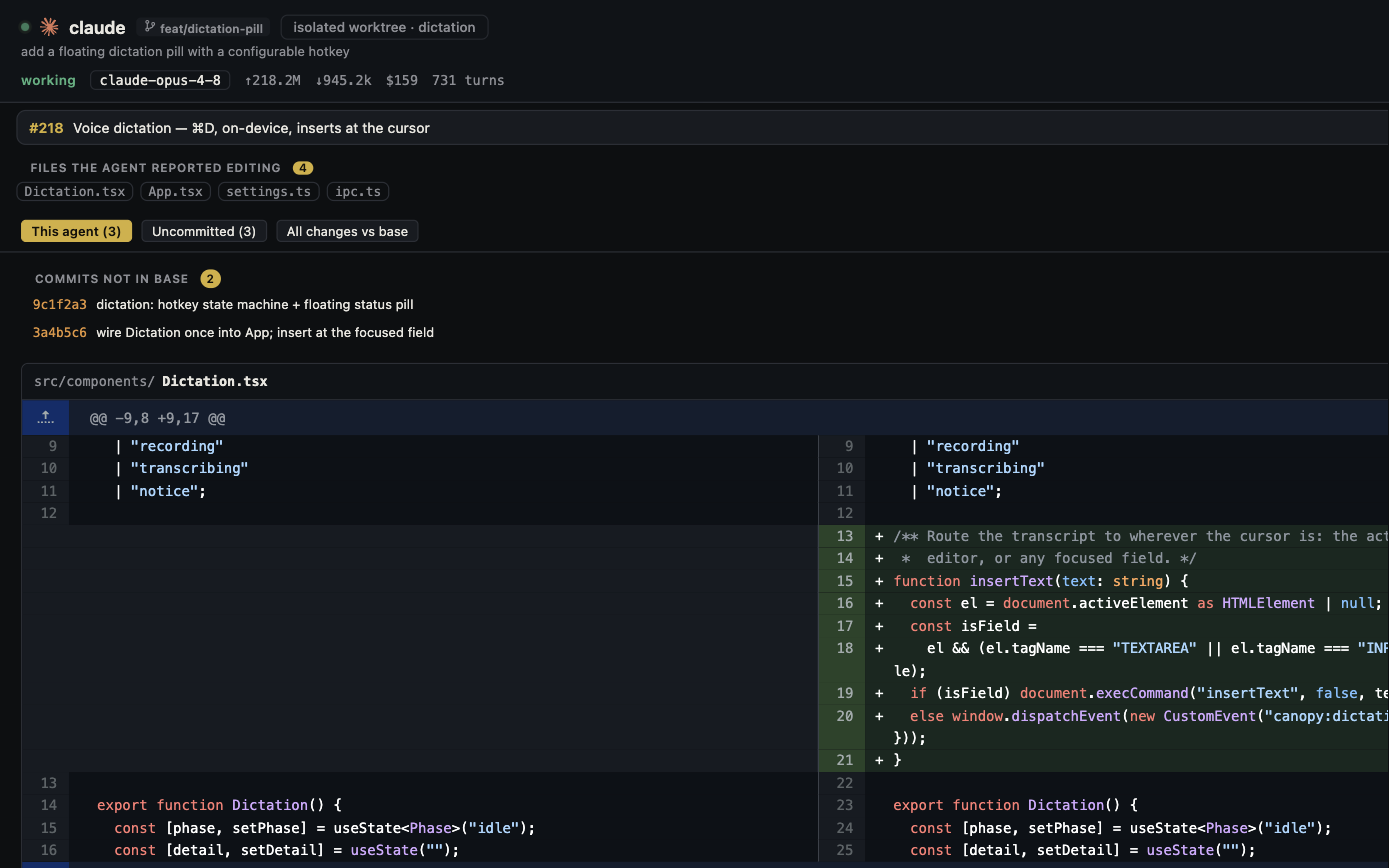
Zed already runs multiple coding agents. Its current docs describe a built-in Zed Agent, ACP External Agents such as Claude and Codex, and Terminal Threads for native CLIs. It also has worktrees, Git, runnable tasks, and live collaboration. Canopy's choice is a different center of gravity: installed CLI terminals joined to local services, Preview, task history, and PR review across a project.
Start by choosing the agent path
Zed's official Agents overview separates three paths: Zed Agent using Zed-configured models, ACP External Agents using the agent's own process and authentication, and Terminal Threads for a CLI or TUI in a terminal-backed thread. Canopy centers supported installed CLIs in real PTYs and adds integration signals around them. A Zed External Agent and a Canopy terminal session can both involve Codex, but the UI and protocol boundary differ; test the exact commands, permissions, and resume behavior you use. Neither product pools every external provider's subscriptions into one account.
| Question | Zed | Canopy |
|---|---|---|
| Agent paths | Zed Agent, ACP External Agents, and Terminal Threads | Installed supported CLIs in real PTYs |
| Parallel isolation | Threads Sidebar and Git worktrees | Agent sessions, split panes, and isolated worktrees |
| Git and review | Git Panel, project diff, branch and worktree tools | Agent Workspace joins session evidence to diff, branch, and PR |
| Run commands | Integrated terminals, tasks, debugger, and REPL | Saved component commands, Servers panel, and detected preview URLs |
| Human collaboration | Real-time multiplayer editing, channels, voice chat, shared projects | Optional encrypted Team relay with chat, files, review requests, and supported co-editing |
| Remote model | External agent/remote project behavior depends on integration | PIN-protected Remote controls the running desktop host |
Where Zed may fit better
Zed is a strong choice when editing, code intelligence, debugging, and low-friction collaboration with another person dominate the day. Its Git panel, debugger, REPL, task runner, and live multiplayer editor give developers tools beyond supervising agents. External Agents let you use supported ACP processes with their own authentication, while Terminal Threads retain a CLI's native terminal interaction. Zed documents worktrees and a sidebar that groups independent agent threads by project, so Canopy should not claim those ideas as exclusive.
Where Canopy may fit better
Try Canopy when you need one project workspace to track agent sessions, local services, running URLs, browser preview, tickets, PRs, and tasks together. Its current-main README describes a Rust-owned PTY process layer and local-first state, while the agent parity audit shows that resume, shared context, usage, and edit attribution still differ by CLI. The value to test is how quickly you can go from an agent's claim to the right live app, branch, and review decision. Check the downloadable Canopy version rather than assuming every main-branch capability has shipped.
Do not conflate team collaboration
Zed Channels can share projects and support real-time editing and voice chat through Zed's collaboration service; its docs say sign-in is needed for collaboration. Canopy's Team feature uses an optional host-mediated relay, with encrypted payloads and file-owner disk-write authority according to its README. These are different permission and synchronization models. If team use matters, test a two-person edit, review request, connection loss, and ownership recovery with the people who will actually use it.
Run a fair 20-minute evaluation
Use the same repository and one installed CLI in both products. Start an agent in a separate worktree, make a small UI change, run the existing app command, inspect one error path, and review the latest diff. In Zed, try the External Agent and Terminal Thread paths separately if both interest you; they are not identical. In Canopy, verify the agent's session, service, Preview, and PR context. Record where you lost time, what evidence you could see, and which workflow fits your role. Add a second person only for a separate collaboration trial.
Copyable resources
Zed and Canopy comparison card
Keep the task, repository, and CLI account fixed.
Repository and starting commit: [ ]
Task and acceptance checks: [ ]
Zed version and agent path (ACP or Terminal Thread): [ ]
Canopy release and supported CLI: [ ]
Worktree and branch visible: [ ]
Running service URL and error state checked: [ ]
Changed files and final diff reviewed: [ ]
PR or handoff state recorded: [ ]
Editor/debugger or project/preview benefit observed: [ ]
Decision and one limitation: [ ]
Frequently asked questions
Can Zed use Claude Code and Codex?
Yes. Zed documents ACP External Agents for Claude and Codex and Terminal Threads for CLI/TUI use. Their setup and integration paths differ.
Does Zed support parallel agents and worktrees?
Yes. Its Threads Sidebar supports multiple independent threads, and its Git tools support linked worktrees.
Does Canopy include one shared Claude/Codex model plan?
No. Canopy runs installed supported CLIs; each keeps its own provider account and billing.
Is Zed collaboration the same as Canopy Team?
No. Zed documents service-backed multiplayer project editing and channels; Canopy documents an optional encrypted host-mediated Team relay with file-owner disk-write authority.