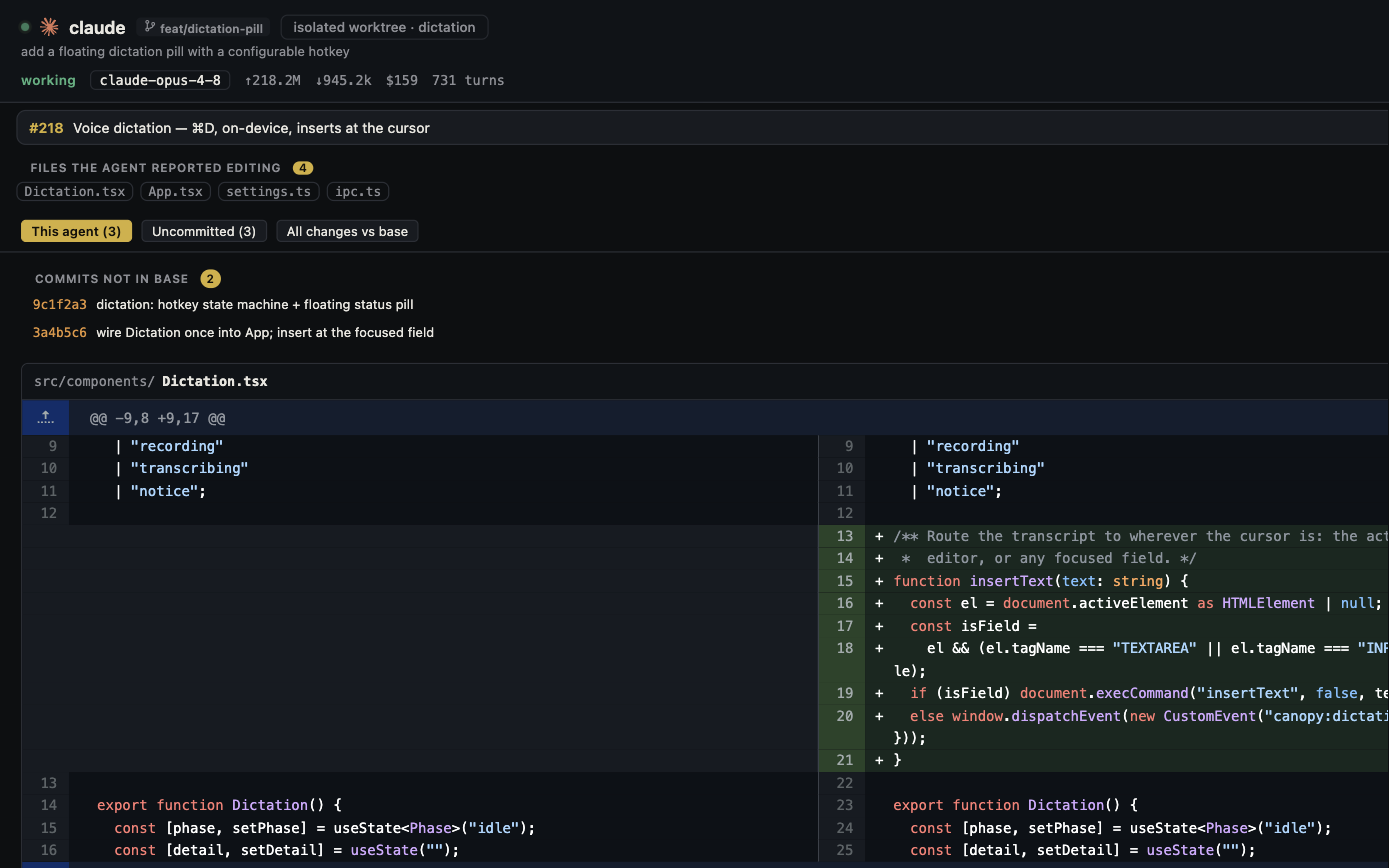
Cursor now has a terminal CLI, worktrees, local code review, cloud agents, and team controls. A fair comparison cannot pretend those are absent. The decision is whether you want Cursor's integrated agent and editor workflow or a local workspace organized around the separate coding CLIs you already use. This comparison reflects public documentation checked on 28 September 2026; run the same task in the versions you install.
The actual choice
Cursor puts its own Agent, model access, editing flow, and review tools inside its product; it also offers Cursor CLI for terminal use. Canopy launches supported installed CLIs in real terminals and puts their sessions beside branches, services, previews, usage signals, and PR context. A Claude Code or Codex session in Canopy still uses that CLI's provider account and limits. Cursor's agent usage follows Cursor's plan and usage policy. Neither product should be reduced to 'an editor with AI' or 'just another terminal.'
| Question | Canopy current-main documentation | Cursor documentation |
|---|---|---|
| How do agents run? | Installed supported CLIs in real PTYs; CLI-specific integration depth | Cursor Agent in the product; Cursor CLI is also available |
| Parallel isolation | Current checkout or isolated Git worktrees with tracked branch context | Agent worktrees in the Agents Window; IDE has Worktree Skills commands |
| Review | Agent Workspace joins session, checkout, diff, branch, and PR | Diff review and Agent Review for local changes; Bugbot is a separate review product |
| Running result | Saved local services and detected URLs in Preview, with browser evidence | Browser and terminal tools are available in Cursor workflows; verify the installed surface |
| Team and remote | Optional host-mediated Team relay and PIN-protected Remote | Team plans, shared context, cloud agents, and administration |
| Model account | Each launched CLI keeps its own provider account and billing | Cursor model access and usage follow the selected Cursor plan |
Choose by the agent you want to operate
If your work already lives in Claude Code, Codex CLI, OpenCode, or another supported CLI, Canopy is designed to preserve that agent's native terminal controls and account. Check the dated CLI support matrix: a terminal can run more tools than the app can deeply resume or attribute. If you want one integrated Agent with in-product model selection, rules, and editor actions, Cursor offers that directly. Cursor also has its own CLI, so a preference for terminal interaction alone does not settle the choice.
Compare the full task, not a screenshot
Use the same repository, acceptance checks, and starting commit. In each product, ask an agent to make one bounded change, run the app, inspect one failure path, review the latest diff, and prepare a PR. Record where you found the agent's branch, the service URL, runtime error, changed files, review findings, and account usage. Cursor's documented worktrees and Agent Review are relevant here; Canopy's Agent Workspace and Preview are relevant too. The question is which sequence is clearer and less error-prone for your role, not which homepage has more feature names.
Where Cursor may be a better fit
Cursor is attractive when you want its integrated editor and Agent, built-in model choices, cloud agents, team administration, and its own local review flow. Its current pricing page describes plan-based model access, team billing, and additional usage rules; confirm the live plan before spending money. Cursor's docs also describe worktree isolation, so parallel branches are not unique to Canopy. If most of your day is hands-on editing or you want hosted agents, test Cursor first against your actual task.
Where Canopy may be a better fit
Canopy is worth testing when you already pay for or use separate coding CLIs and need one local place to supervise their sessions, branches, services, previews, and PRs. Its README describes local-first project state, no required Canopy account, no telemetry, an optional team relay, and Remote hosted by your running desktop. Those are product design choices, not proof that an installed agent CLI is offline or private: the CLI and enabled integrations still have their own network behavior. Check the latest downloadable release because the current-main README may describe features that have not shipped in it.
A 30-minute decision test
Before starting, write one acceptance test and choose one CLI/model account where possible. Run the task once in each environment with separate throwaway branches. Time only the work you actually do: launching the agent, finding a blocked prompt, opening the right preview, locating the final diff, and deciding whether to accept it. Note any paid usage in the appropriate provider dashboard, not an assumed common price. Keep the output and version notes. If one product makes you more confident about the accepted change, that is a stronger result than an unrepeatable speed claim.
Copyable resources
Side-by-side evaluation card
Hold the task and starting repository constant; record product and CLI versions.
Task and acceptance checks: [ ]
Starting commit/repository: [ ]
Canopy version, CLI, and account: [ ]
Cursor version, Agent or CLI, and plan: [ ]
Time to identify active branch and agent state: [ ]
Time to open correct running result: [ ]
Failure path reproduced and evidence captured: [ ]
Final diff and PR reviewed: [ ]
Human interventions and confusing steps: [ ]
Usage source and timestamp: [ ]
Decision for this workflow: [ ]
Frequently asked questions
Does Cursor support Git worktrees and a terminal CLI?
Yes. Cursor documents Agent worktrees and a separate Cursor CLI. Compare the exact workflow and product version rather than assuming those features are absent.
Does Canopy include Cursor's model subscription?
No. Canopy runs installed supported CLIs with their own accounts and provider billing. Cursor's agent access follows its own plan and usage terms.
Can I use both products on one repository?
Yes, with normal Git and process coordination. Give each code-changing agent its own branch or worktree and verify which checkout runs the preview.