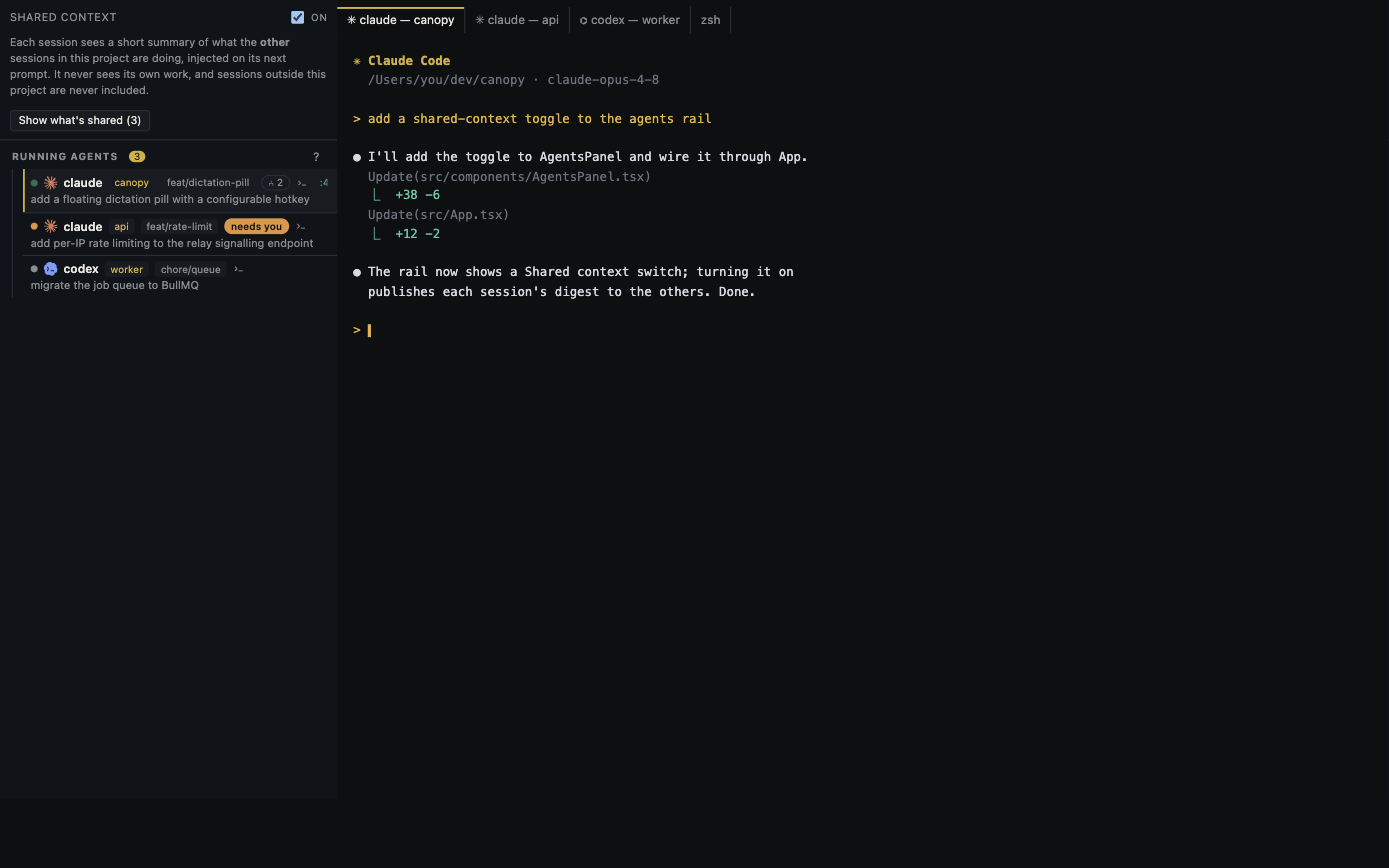
A coding agent works perfectly well in a terminal. The choice becomes interesting when you have several sessions, a running app, and a change to review. Choose the smallest setup that makes those jobs visible.
One CLI, one small task: start in a terminal
If you have one repository and a short, bounded request, open Claude Code, Codex, or another installed CLI in your preferred terminal. Keep the goal, relevant files, and acceptance check in the prompt. Git and the CLI already provide the essentials: a working directory, conversation, commands, and a diff. A new workspace layer is optional here.
Long-running shells: tmux earns its place
tmux groups terminal panes into windows and sessions. You can detach a session and reattach later without losing the process. That is useful over SSH or when you want reliable terminal persistence. It does not by itself know which agent changed a file, whether a PR check failed, or which local service serves the preview. You can assemble those pieces with Git, scripts, and browser tabs.
Two code-changing agents: add isolation
Regardless of interface, give independent edits separate Git worktrees and branches. Opening two panes in one checkout does not isolate working files. Git worktrees do; each is a different directory attached to the same repository. Still assign ownership when both agents might change the same API or shared configuration. A clean merge requires a human decision.
Several agents plus a running product: use project context
Canopy keeps installed CLI terminals and their agent sessions next to branches, files, diffs, PRs, local service controls, and Preview. The Agents rail and shared context make it easier to see who is waiting and what another session touched. You can use Canopy's terminal for ordinary shell work too; it does not replace the CLI with a proprietary chat backend.
A practical decision rule
Use a terminal for one focused agent. Add tmux when terminal persistence or SSH matters. Add worktrees when multiple agents edit code in parallel. Use Canopy when the cost of reconstructing project state across those tools exceeds the cost of opening a workspace. Test the decision with one real feature: time how long it takes to resume, run the app, inspect the final diff, and reach a review decision.
Frequently asked questions
Does Canopy replace my terminal or coding CLI?
No. It runs supported installed CLIs in real terminals and adds project, service, preview, and review surfaces around them.
Can tmux and Canopy be used together?
Yes. Canopy terminals support full PTY and TUI behavior, including tmux. Choose tmux when you need its session management.