
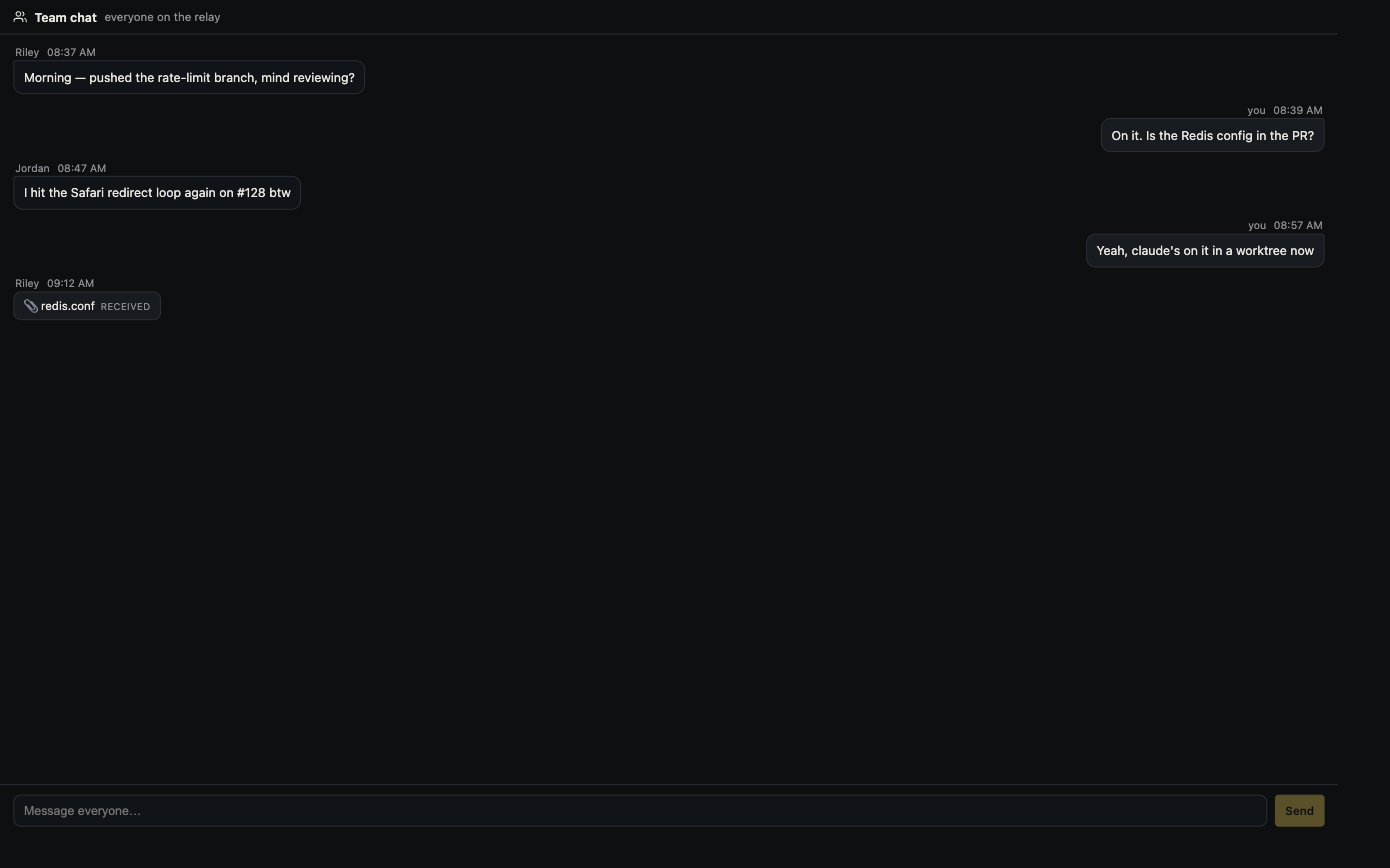
Teams
Chat, share and edit together.
Send messages, files and pull requests, and co-edit over an end-to-end encrypted relay. Nobody shares a model subscription.
Open source · macOS, Windows and Linux
Run Claude Code, Codex and any agent CLI side by side. See your app running and every change it made, then review it before it ships.
Free and MIT licensed · macOS, Windows and Linux
Connects to the tools you already use: Slack, GitHub and Linear. Nothing new to install.
Works with the agent CLIs you already use
Each CLI keeps its own account, model and billing.
Many agents, one window
Each agent runs in a real terminal, in its own tab or Git worktree. The agent rail shows what every session is doing and flags the one waiting on you.
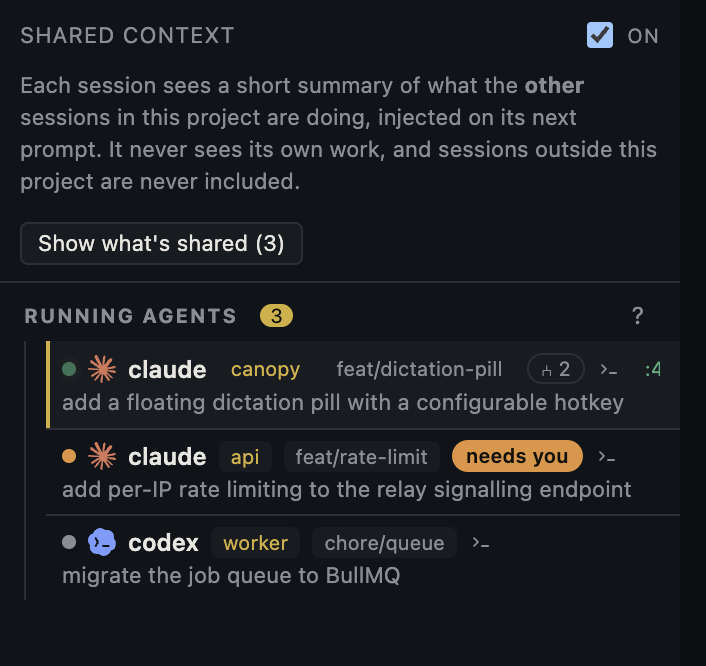
The work, not just the chat
Every session is tied to its branch, files, commits, cost and pull request. Save your project's commands once and Canopy runs the stack and opens a preview beside the agent.
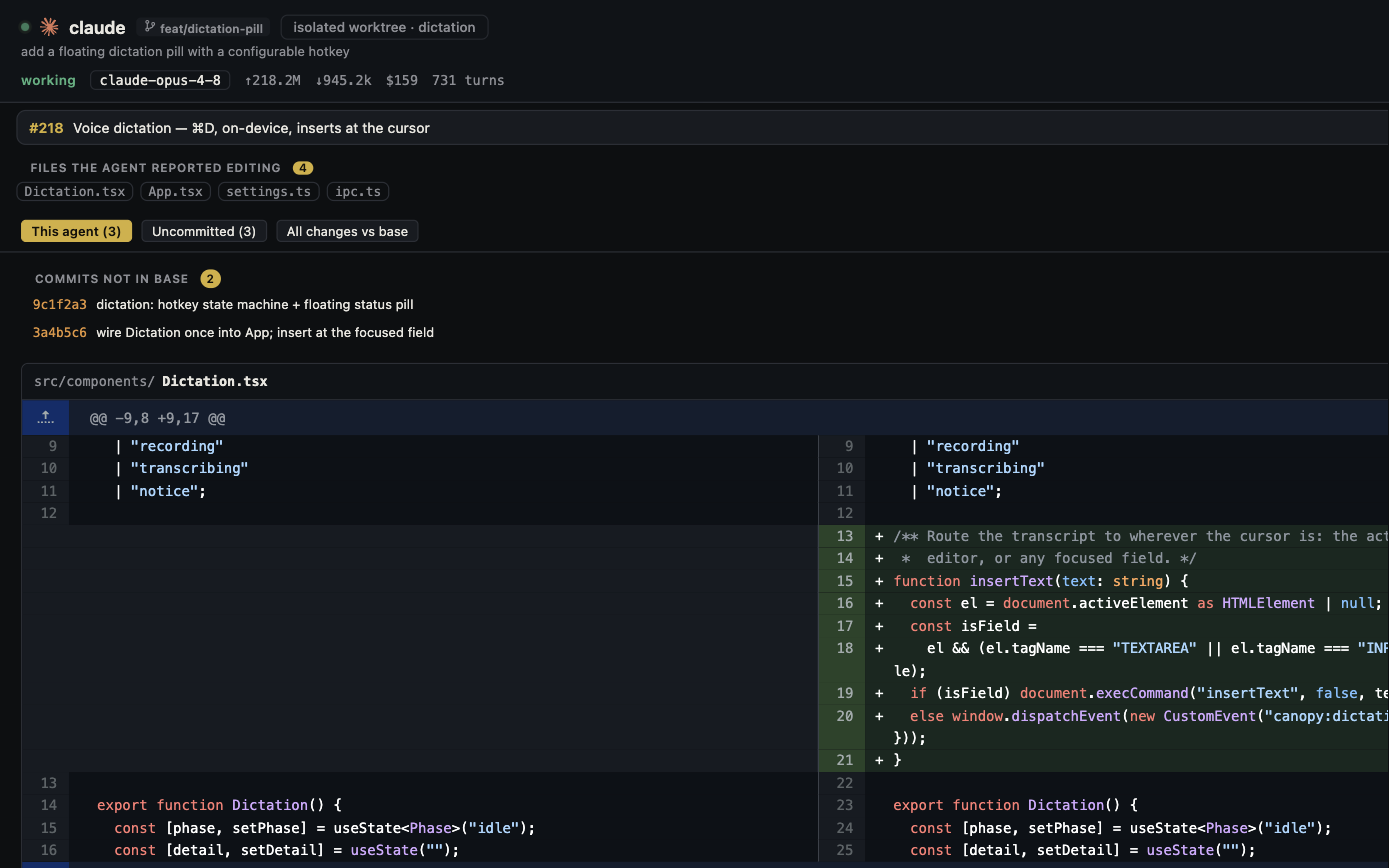
Review before it ships
Read the diff, stage or discard hunks, and work through the pull request in the same window. A review agent can map the PR and stage findings as drafts. Nothing is posted until you say so.
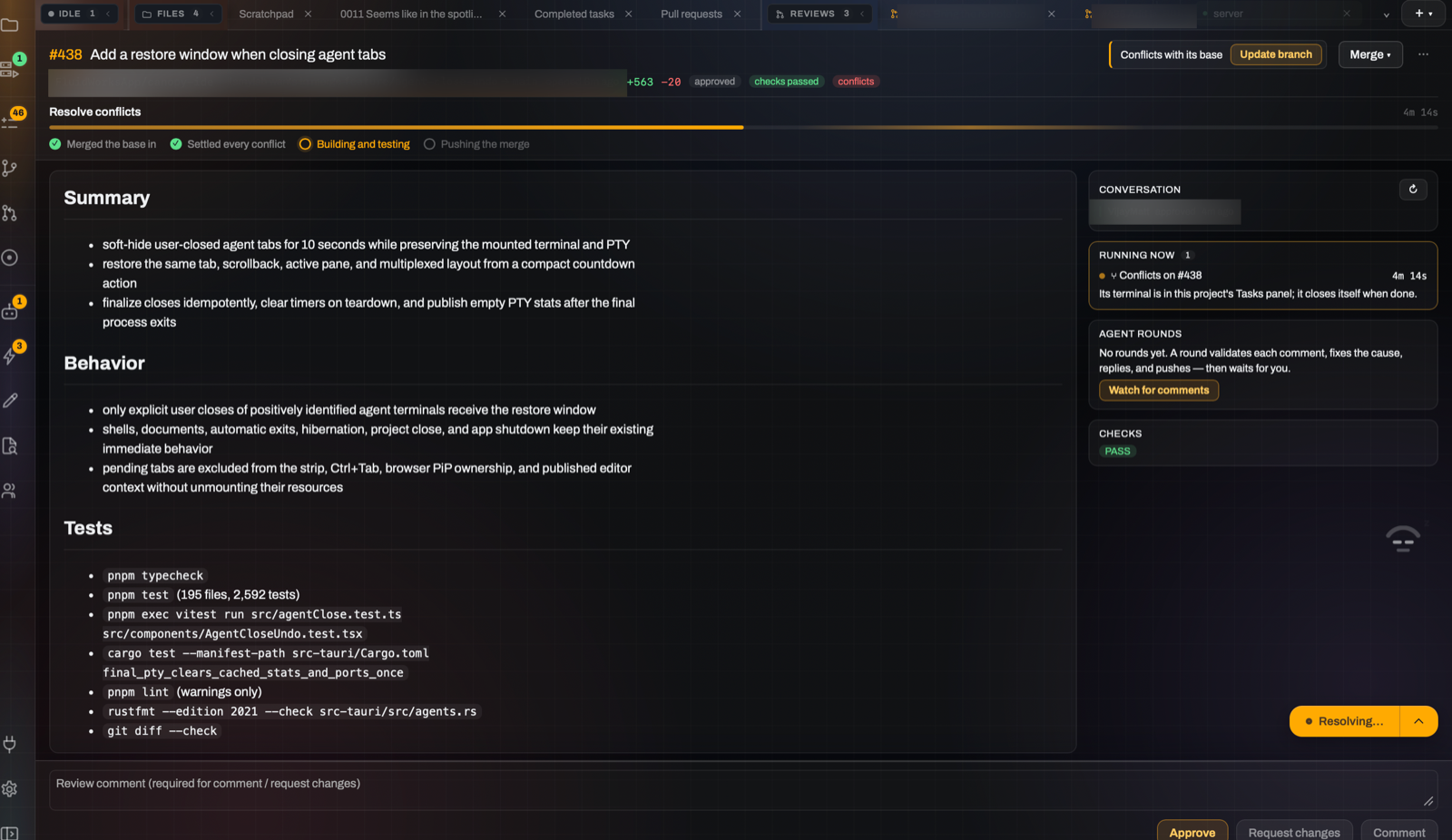
Two ways to work
Build and Engineer are two views of the same project. Switch whenever you like; nothing is exported or copied.
A declined payment no longer loses the cart or the next attempt.
Build mode
Canopy plans the work, hands it to an agent, runs your app and checks the result in the browser before calling it done.
Explore Build →I preserved the provider retry contract and added the state transition tests.
Engineer mode
Every terminal, process and diff, in real panes. Choose the agent, the account and the branch for each task.
Explore Engineer →Cloud workspaces · preview
Create a remote workspace and switch to it from the desktop app. Agents, terminals, servers and previews keep running there, with your files kept between sessions.
Singapore · 8 CPU · 32 GB · 200 GB
US East · Max · 16 CPU · 64 GB · files kept
People
Teams
Send messages, files and pull requests, and co-edit over an end-to-end encrypted relay. Nobody shares a model subscription.
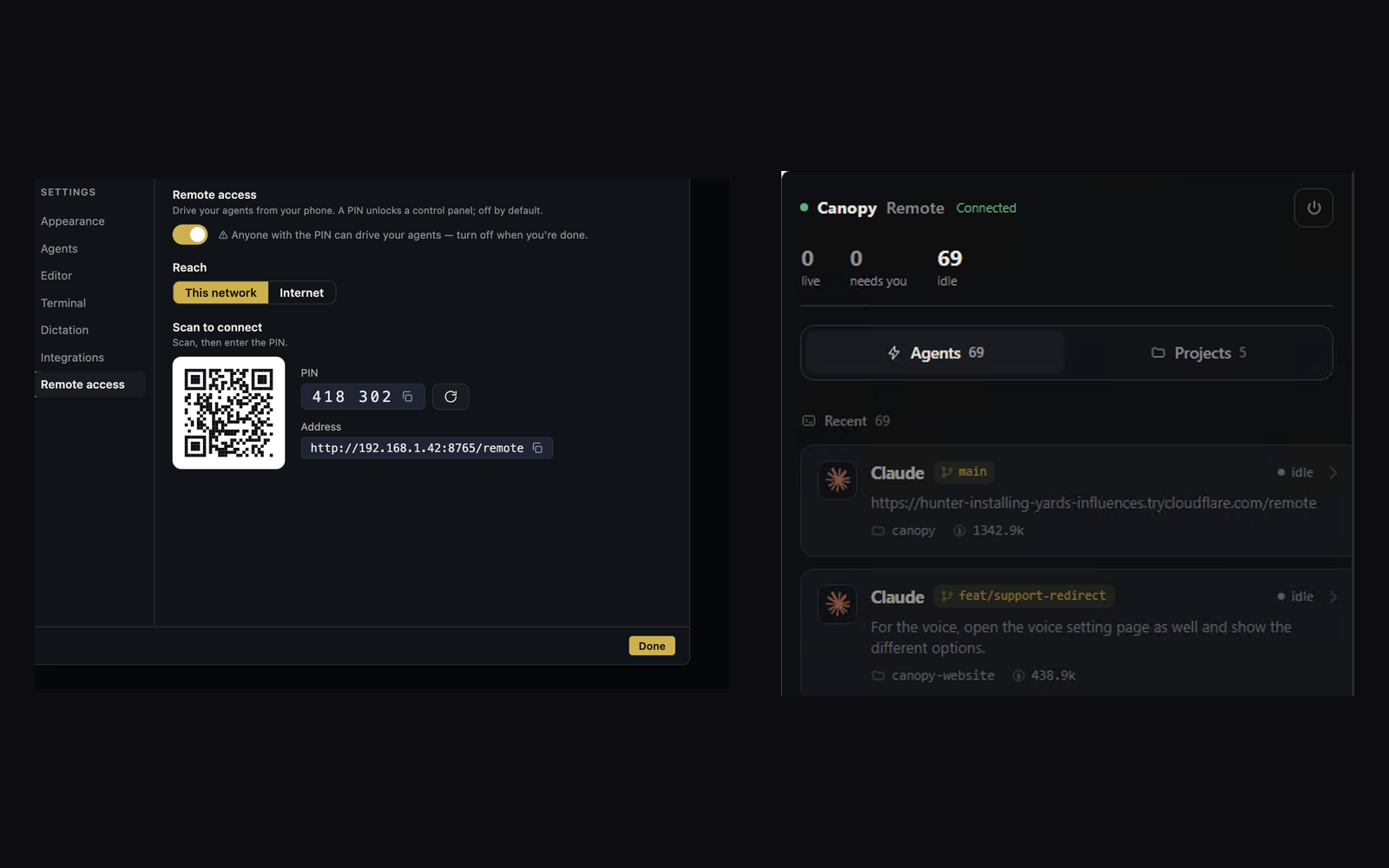
Remote
Turn on Remote when you need it, protected by a PIN. Reply to agents, start work and stop processes on your running desktop app.
The small things
Open source
A Rust core in a Tauri shell, on your system's own webview. Read the code, file an issue or build it yourself.
$ git clone https://github.com/FluidWorksApp/canopy-ide
$ cd canopy-ide && npm install
$ npm run tauri dev
# needs Rust (stable) and Node 20+
Bring the agent you already pay for. New to agents? Start with the first-project guide.