
cmux and Canopy both make several agent terminals easier to manage. cmux is a Ghostty-based macOS terminal with programmable workspaces, notifications, a built-in browser and SSH. Canopy is a cross-platform project workspace around installed CLIs, local services, editing, Git, PRs and team context. Compare them on a full task, not a screenshot of tabs.
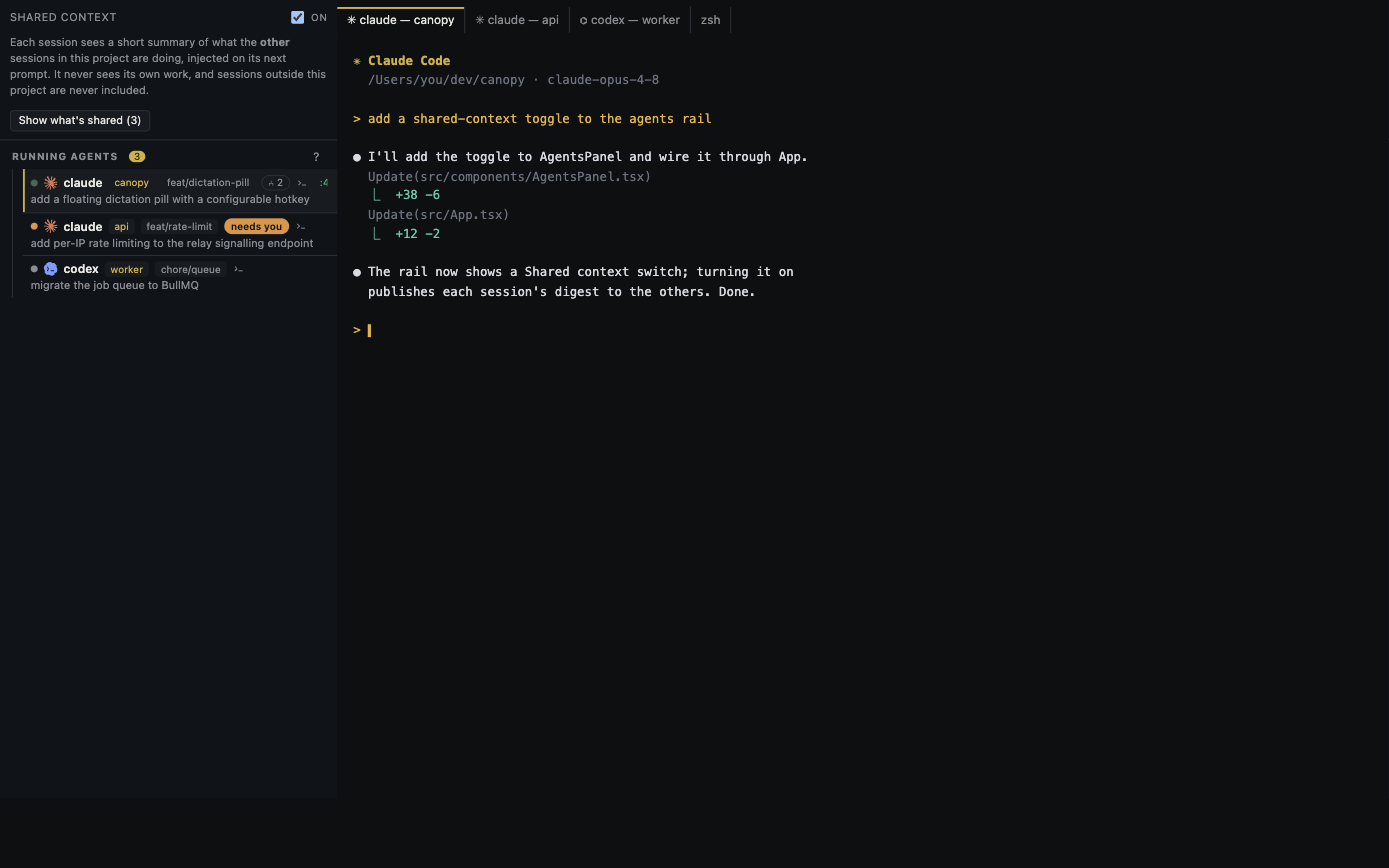
Both run agent CLIs with a browser and alerts
Both run agent CLIs in terminals across several workspaces, with a browser beside them, alerts when an agent needs you, and branch or PR context. cmux adds attention rings, vertical tabs showing branch, PR, directory and ports, a scriptable browser, and hooks that restore supported agent sessions. Canopy adds real PTYs, an Agents rail, worktrees, detected dev-server URLs, Preview and session-to-diff context. Integrations differ by CLI, so test yours.
| Decision | Canopy | cmux |
|---|---|---|
| Primary surface | Project workspace with terminals, editor, services, Git and PR | Programmable macOS terminal with panes and browser |
| Agent attention | Agents rail and project-aware attention signals | Notification rings, panel and hook-driven agent state |
| Preview | Detected services, Preview, console/network, scoped feedback | Scriptable in-app browser beside terminal |
| Git and PR | Agent Workspace, diffs, worktrees, checks and PR context | Sidebar branch and linked PR status; add review tools as needed |
| Remote path | PIN-enabled Remote on a running host; optional team relay | SSH workspace and iOS beta/mobile connection documented |
| Platforms | macOS, Linux, Windows release assets | macOS native app in current README |
Pick cmux to script your own terminal
cmux exposes a CLI and socket API for workspaces, panes, notifications and browser actions. It has SSH workspaces, Ghostty config compatibility, and an optional tmux mode for live detach and reattach. Ordinary processes don't survive quitting; supported agent sessions resume only if hooks captured their session IDs. It suits a Mac developer who builds a keyboard-driven workflow from terminal primitives.
Pick Canopy to see the project around the terminal
Canopy wraps the terminal in a named project: components, saved service commands, files, editor, branch, diff, PR, research and agent history. It adds optional encrypted team collaboration, PIN-protected Remote, local dictation and usage signals from some CLIs. A founder or reviewer sees the running product and the change without digging through shell history. Canopy is pre-1.0; check your release before relying on a feature.
Run the same 15-minute trial
Use the same repository, CLI account and small task in both apps: one isolated checkout for a settings-page change, plus a read-only review session.
In each, find which agent needs input, start the website, open its URL, find the changed file and PR, then close and reopen the app. Record branch, commit, setup and review time, missing context, and whether the conversation resumed.
| Checkpoint | What to record |
|---|---|
| Agent handoff | Project, CLI, checkout, exact waiting question |
| Running result | Command, reported URL, behavior you tested |
| Code review | Diff, PR head commit, checks, decision |
| Return after close | Layout, process state and native CLI conversation state, separately |
Choose by the work you own
Choose cmux when a programmable macOS terminal, SSH and a scriptable browser are your core and you like composing the rest. Choose Canopy when you want project, services, editor, agents, usage, Git review and team handoff in one desktop app, including on Linux and Windows. cmux is GPL and Canopy is MIT; read the license files if redistribution matters.
Frequently asked questions
Does cmux have an in-app browser and agent notifications?
Yes. Its README documents a scriptable browser, notification rings and panel, and agent hooks.
Can both run Claude Code and Codex CLI?
Yes, both run installed terminal CLIs. Richer attention, resume, usage and edit-attribution features vary by CLI, hook setup and release.
Does closing either app keep my local agent process running?
Don't assume so. cmux restores layout and can resume supported agent sessions, with tmux for live detach. Canopy restores sessions per its lifecycle rules. Check process state and CLI resume in your setup.
Which is better for a noncoder?
A noncoder still needs a repository, CLI, runtime and a reviewer. Canopy shows more project and review context; cmux gives a flexible terminal and browser. Try the same small task and see which makes the run and diff easier to inspect.