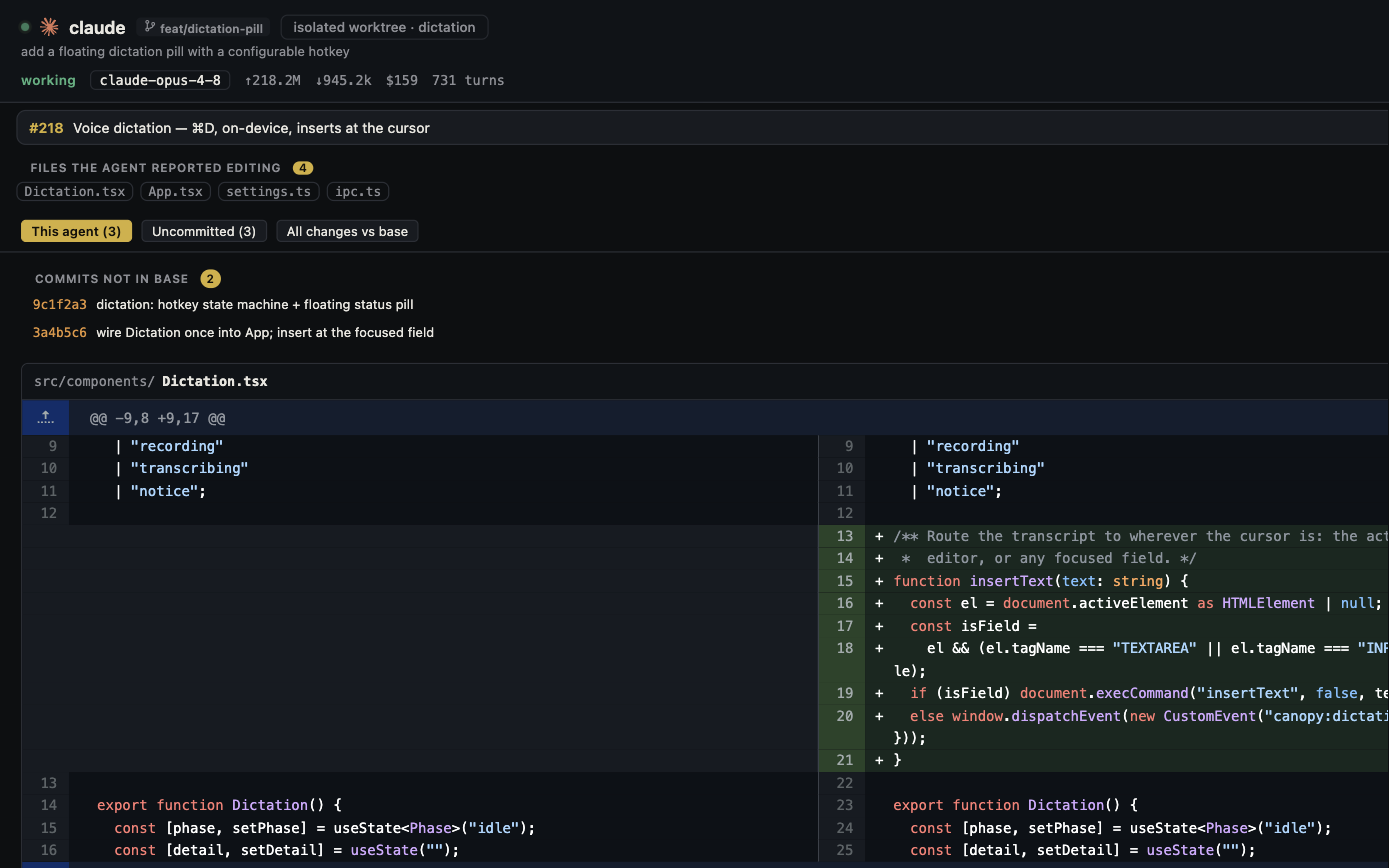
Warp is no longer accurately described as only a terminal, closed source, or unable to manage other coding CLIs. Its current documentation describes Claude Code and Codex tabs, worktrees, an interactive Code Review panel, agent status, and cloud orchestration; the client is open source under AGPL. Canopy is an MIT-licensed local project workspace built around installed CLI sessions, services, previews, and review. The useful comparison is one task from launch through accepted change.
What the public docs actually promise
Warp's multi-agent guide, updated in September 2026, describes vertical tabs with agent, branch, directory, and status; separate worktrees; local Code Review; saved tab configurations; and optional cloud child agents through its Automation Platform. Its Code Review panel can send inline comments to running third-party CLI sessions. Canopy's current-main README describes real PTYs for installed CLIs, Agent Workspace tied to branch and PR state, saved local services, Preview, tasks, Remote, and an optional team relay. Both can run more than one agent; neither should be judged from a screenshot of tabs alone.
| Decision | Canopy | Warp |
|---|---|---|
| Third-party CLIs | Supported installed CLIs in PTYs, with CLI-specific integration depth | Runs Claude Code, Codex, OpenCode and other CLI agents in tabs or panes |
| Parallel work | Isolated Git worktrees and project branch context | Worktrees, branch-aware tabs, and an Agent Management Panel |
| Review | Agent Workspace, diff, PR context, and draft findings | Code Review panel, inline comments to agents, branch comparisons |
| Running product | Project services, detected ports, and Preview | Terminal commands and code tools; test the app-preview path you need |
| Long-running cloud work | Local host for Canopy Remote; installed CLI may have its own cloud modes | Warp Automation Platform cloud agents and orchestration |
| Team sharing | Optional encrypted host-mediated Team relay | Session Sharing and synced Warp Drive objects |
| Source/license | MIT-licensed Canopy app | AGPL-licensed Warp client |
Where Warp may fit better
Choose Warp for a terminal-centered day when you want its command entry, tab metadata, Code Review feedback, saved tab layouts, or its own Warp Agent and cloud automation. Its official guide explicitly covers the same Claude Code plus Codex pattern often used to describe Canopy. Warp Drive and Session Sharing add a cloud-backed collaboration path; paid plans and Bring Your Own Key options have separate usage rules, so read current pricing before comparing costs. Warp's source is public under AGPL, which is a real open-source option with different license obligations from MIT.
Where Canopy may fit better
Try Canopy when your unit of work is a project spanning agents, local website/API/worker commands, browser preview, tickets, PRs, and a reviewable history. Its current-main README says Canopy-owned workspace state stays local, with no required Canopy account or telemetry, while each installed CLI and enabled integration retains its own network and billing behavior. Canopy Remote reaches a running desktop host; it is not Warp's hosted cloud-agent platform. The public Canopy v0.3.4 release and later builds should be tested separately from main-branch documentation.
Check the privacy and offline boundary
Warp's own offline documentation says first launch requires internet, core terminal functions work afterward without connectivity, and a unique ID is assigned even for logged-out use. Warp cloud features, including Agent and team sharing, need online access; its pricing FAQ says Warp Drive data is stored on Google Cloud servers in the United States. Canopy's local-first claim applies to Canopy-owned workspace state, not the network use of Claude Code, Codex, GitHub, or a chosen Remote tunnel. Verify which service receives source code and logs in each configuration rather than labeling either complete workflow simply 'offline.'
Run the same agent task twice
Give one installed CLI the same bounded task in both products on separate branches from the same commit. Start a frontend and API, reproduce one error, send a review comment, and inspect the final diff and PR status. Record how many actions it took to identify the active branch, find the blocked agent, restart services, open the correct running page, and decide whether to accept the code. If cloud execution or team sharing is central, run a second scenario using those features and record their account, permission, and cost boundaries separately. This tests the workflow that matters to you instead of inventing a benchmark winner.
Copyable resources
Canopy and Warp task trial
Use the same CLI account and task; keep cloud features as a separate comparison.
Starting repository and commit: [ ]
Task and acceptance checks: [ ]
CLI/model/account and platform: [ ]
Canopy release: [ ] | Warp release and plan: [ ]
Agent branch and worktree found: [ ]
Website/API/worker process and preview verified: [ ]
Review comment, latest diff, and PR state verified: [ ]
Human time, retries, and usage source: [ ]
Cloud or team features tested separately: [ ]
Which workflow made the accepted result clearer, and why: [ ]
Frequently asked questions
Can Warp run Claude Code and Codex in parallel?
Yes. Its current multi-agent documentation describes both CLIs in separate tabs or worktrees, plus agent status and Code Review integration.
Is Warp still closed source?
No. Warp announced its client source under AGPL in April 2026. Canopy uses MIT; compare the license terms relevant to your use.
Can Canopy Remote replace Warp cloud agents?
No. Canopy Remote controls a running local host, while Warp documents cloud agents that run on its Automation Platform.
Does Warp require a login just to use its terminal?
Warp documents logged-out use with an anonymous ID after an online first setup, and core terminal features work offline afterward. Its cloud and AI features have additional connectivity and usage requirements.
Sources and further reading
- Warp guide: running multiple CLI agents, worktrees, review, and cloud ↗
- Warp Code Review panel ↗
- Warp client open-source announcement and AGPL license ↗
- Warp offline and account behavior ↗
- Warp current plans and BYOK boundary ↗
- Warp pricing FAQ and Drive storage ↗
- Canopy current-main README ↗
- Canopy releases and installed-build caveat ↗