To set up Canopy, install the desktop app and a supported coding CLI, open a project, and run one small task you can inspect. You do not need to memorize terminal commands, but you do need Git and the runtime your project uses. The practice project on this page gives you a safe first run.
1. Download Canopy and prepare your CLI
Choose the current macOS, Windows, or Linux release from the Download Canopy button above. Install and open the desktop app. Canopy does not include a model subscription: install and sign in to a supported coding CLI with its own provider account before asking it to work. Have Git available, plus any runtime your project requires. The practice project has no package dependencies; its documented local server command uses Python 3.
2. Open a project
Create a project in Canopy and add the folder that contains your code. If you do not have a repository yet, download the practice project above, unzip it, and open its folder. It includes a simple task board and a first agent task. If your own product spans a website, API, and worker, add each as a labeled component. Canopy keeps their files, agents, and run commands under one project.
3. Choose an agent you already use
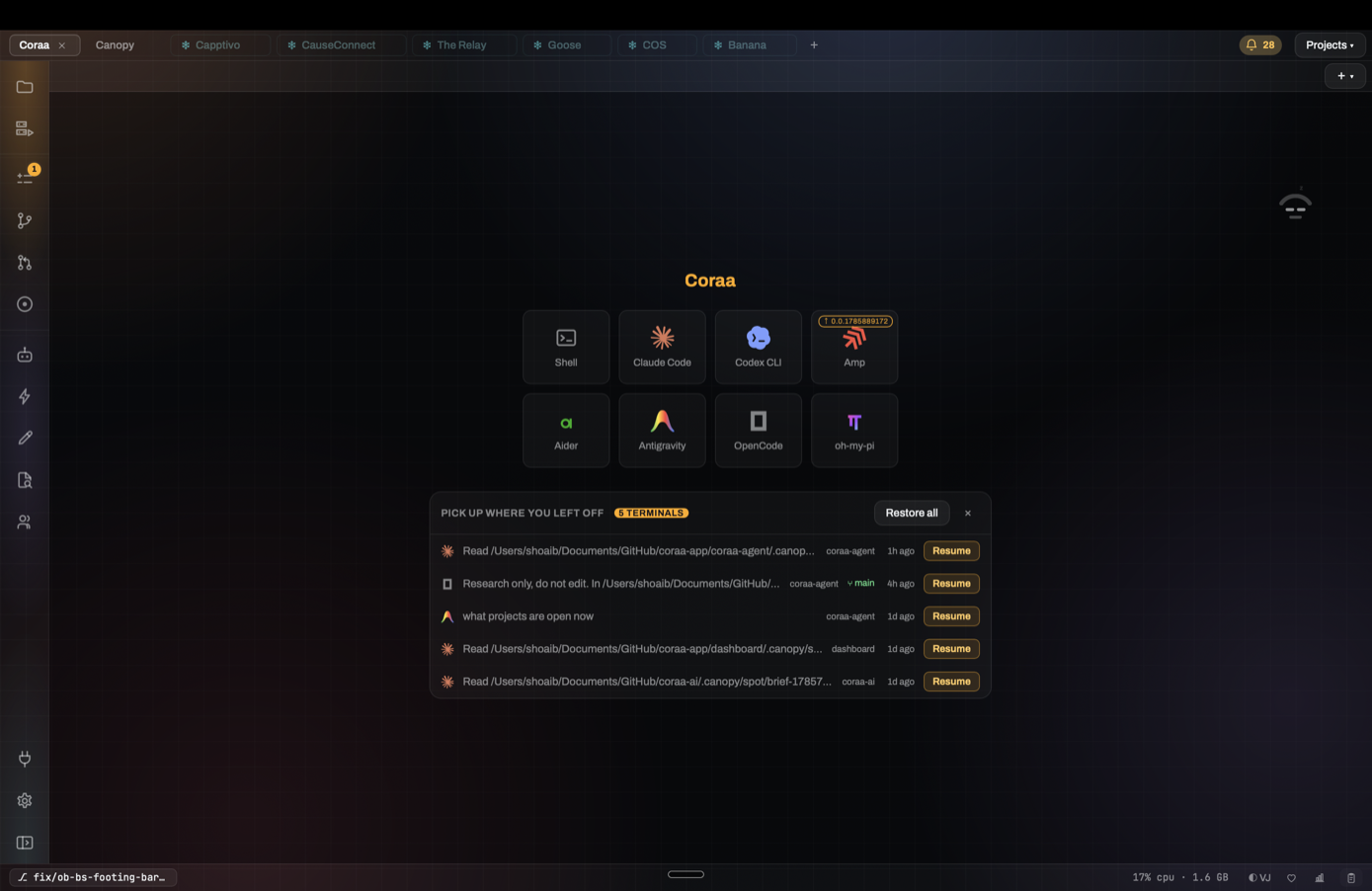
The launcher offers supported coding CLIs such as Claude Code, Codex CLI, Amp, and OpenCode, plus a plain shell. The CLI runs in a real terminal and uses its own account. If it is missing, the launcher shows an install route. You can keep separate CLI profiles for supported tools.
4. Give one testable request
For the practice project, use the brief in TASK.md to ask for an All / Open / Done filter. The checks are concrete: each view shows only matching tasks, and the done state survives a refresh. Ask the agent to report the files it changed, the tests it ran, and any decision it needs from you. Canopy's shared project context helps supported sessions see recent prompts and file activity.
5. Run and inspect the result
Configure your app's run commands once. The Servers panel can then start and stop the website, API, or background worker and show the ports and output. Open the preview, inspect the page, and send a screenshot or visual note back to the agent. Review the diff before accepting the change.
6. Pick up where you left off
When you return, Canopy lists restorable terminals and agent sessions. Resume the agent through its own CLI so its conversation history comes back, then restart the services you need. Treat every change like a teammate's contribution: check the result and the pull request before shipping.
Frequently asked questions
Do I need to know how to code to use Canopy?
You can direct an agent without writing every line, but you still need a code project and someone must review the running result and changes before shipping. A developer should own production decisions you cannot verify.
Does Canopy include an AI model subscription?
No. Canopy runs supported agent CLIs you install and sign into with their own provider accounts.