VS Code already has an integrated terminal, Git, worktrees, and GitHub PR review through an extension. The useful question is which workflow makes your agent's task, running result, and final change easiest to follow.
Start from the same task, not a feature checklist
Use one repository and one agent CLI account for both trials. Give the agent a bounded change such as adding validation to an existing form. Record the branch, the acceptance checks, and the command that runs the app. This controls for model choice and task difficulty. Then judge how quickly you can find the current session, inspect the running behavior, and review its latest diff.
What VS Code already handles
VS Code supports multiple and split integrated terminals, built-in Git changes, branches and worktrees, and GitHub PR review after installing its GitHub Pull Requests and Issues extension. It has a broad extension ecosystem and mature editing, debugging, and language tooling. A developer who spends most of the day editing code may prefer to keep those tools at the center. Do not treat its terminal or worktree support as absent just because Canopy emphasizes agents.
Where Canopy changes the flow
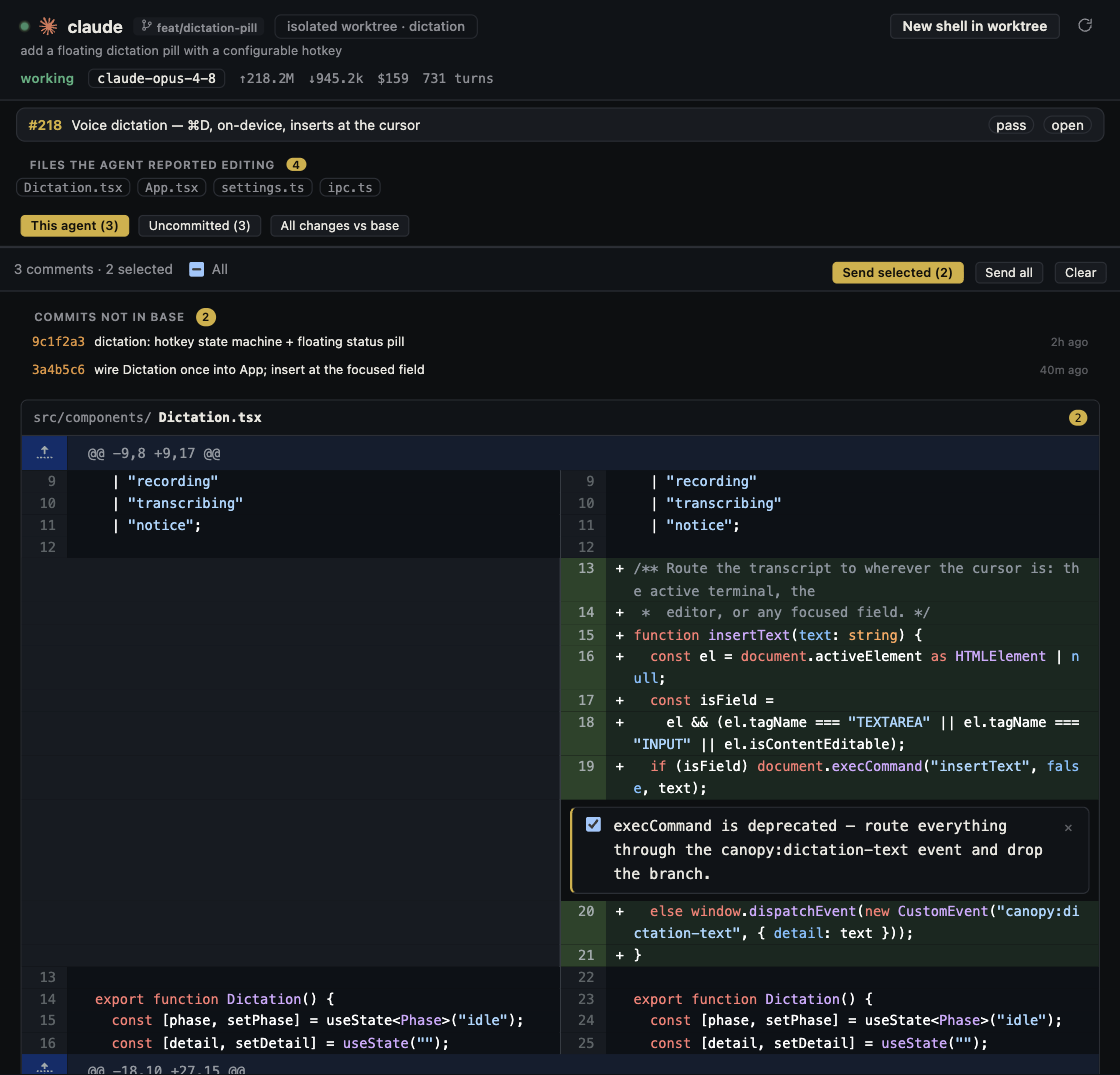
Canopy runs installed agent CLIs in real PTYs and joins a session to its checkout, branch, changed files, diff, PR, usage signals, and attention state. Its project components can start local services, detect their ports, and open Preview beside the work. The practical advantage is a project view organized around the agent's unit of work instead of manually tracing a terminal tab back to a branch and a running server. Integration depth varies by CLI and by release, so check the current app before assuming a particular resume or usage feature.
Try a two-agent review round
Give implementation and independent review separate worktrees. In either tool, keep the first agent idle when its checkout is being inspected, and ask the reviewer for reproducible findings tied to files or behavior. In Canopy, inspect each session's Agent Workspace and the final PR; in VS Code, use worktree and source control views plus the PR extension. Compare the number of places you had to look and whether you ever reviewed the wrong branch or stale preview.
Choose by your bottleneck
Choose VS Code when editing, debugging, and extension-specific workflows dominate. Try Canopy when supervising several CLI agents, local services, previews, and PRs is the hard part of the day. You can also use both on the same Git repository: the CLI, Git history, and code remain portable. Keep one owner for each checkout and verify the latest diff and running result in whichever tool you use.
Copyable resources
Copyable 20-minute comparison
Run the same bounded task with the same CLI and repository in each workspace.
Task and acceptance checks: [one small change]
CLI/account/model: [hold constant]
Repository and starting commit: [hold constant]
Run command: [record actual URL]
1. Start the agent and identify its branch and checkout.
2. Run the app and inspect one normal and one error state.
3. Locate changed files, latest diff, and test/check results.
4. Ask a second session for one independent review finding.
5. Record missteps, review time, and what each tool made easier.
Do not compare completion speed if the tasks or models differed.
Frequently asked questions
Does VS Code support multiple terminal sessions and Git worktrees?
Yes. Its integrated terminal supports multiple and split sessions, and its source control supports worktrees. The comparison is about how the whole agent task is organized.
Do I have to leave VS Code to use Canopy?
No. Both can open the same repository. Coordinate ownership of uncommitted files and running processes when using them together.