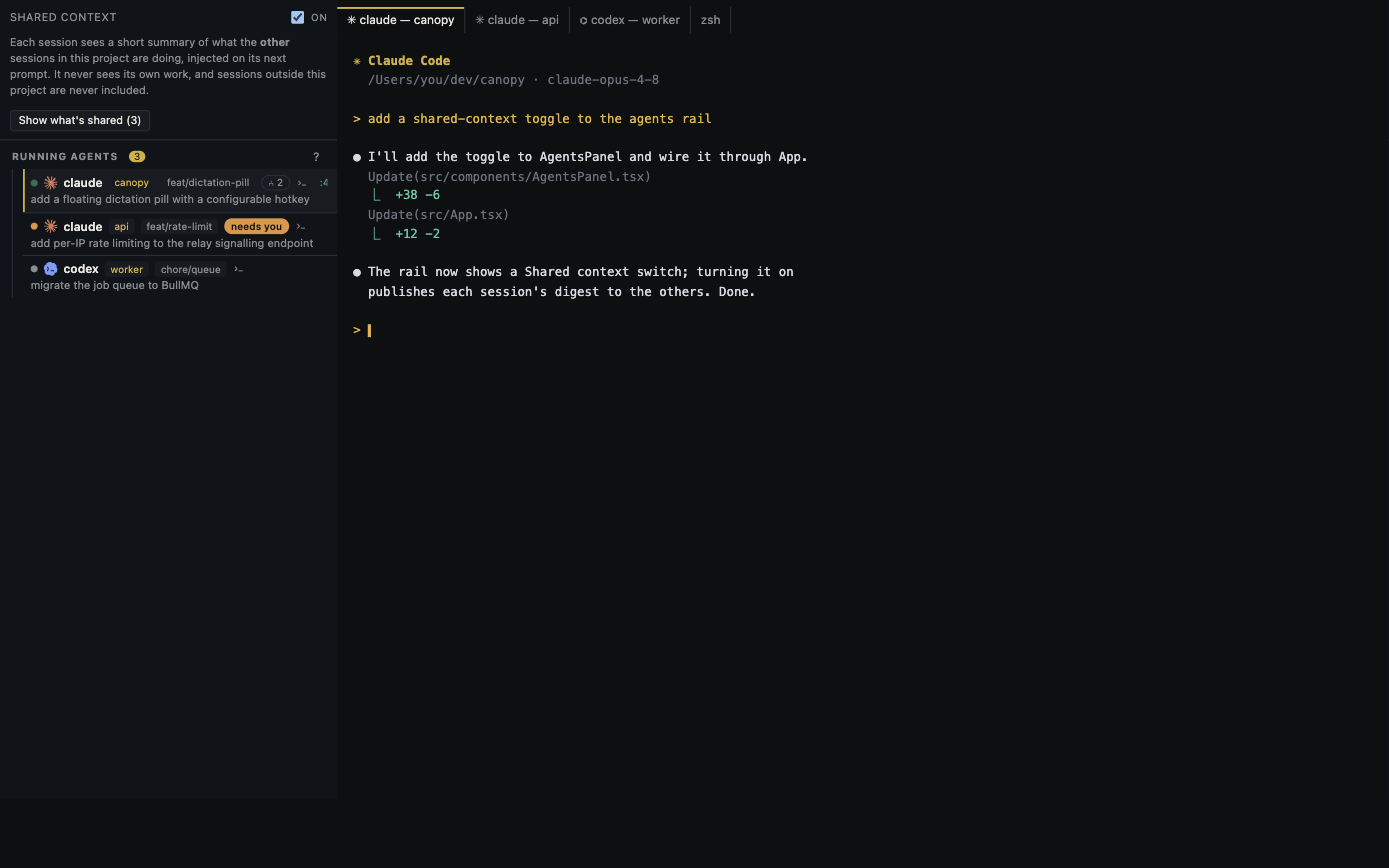
“One workspace for several AI models” can mean very different things. In Canopy, people can coordinate work across supported coding CLIs and share a project through Team. That is a collaboration workflow, not a pooled Claude, OpenAI, or other provider subscription. Separate these boundaries before inviting a teammate or handing work to another agent.
Four things people call sharing
Project context is the repository, instructions, task state, and decisions another person or agent needs to understand the work. A team session is Canopy's host-mediated collaboration surface for chat, files, review requests, and supported co-editing. A CLI profile chooses which installed coding-agent account a new session uses on a machine. A model subscription is the provider relationship that determines access, limits, and charges. These are separate objects with different owners and permission boundaries.
| Resource | What can move between people | Who retains control |
|---|---|---|
| Task and project handoff | A branch, issue, summary, files, review request, or agreed instructions | Project collaborators and repository permissions |
| Canopy Team session | Supported chat, files, review requests, and shared project views | The hosting Canopy instance and file owner |
| CLI profile | A local choice of installed CLI account for a new agent | The person or machine that owns that CLI login |
| Provider subscription | Only what that provider's own terms and account system allow | The model provider and account holder |
Keep the account boundary explicit
Canopy's current-main README says the app runs installed coding CLIs and that agent CLIs remain separate tools with their own accounts and networks. It also says CLI account profiles can be selected when launching an agent without Canopy reading their tokens. A team invite therefore should not be described as giving every member a premium model seat. Ask each collaborator which CLI and account they will use, then verify the provider's own sharing or organization policy if a common billing arrangement matters.
- Choose the CLI and account profile when starting a session; record the choice in the task handoff.
- Keep API keys and login tokens out of team chat, screenshots, issue bodies, and shared instruction files.
- Use provider-managed team or organization access when you need shared billing or seat administration.
Make context portable between agents
A useful handoff is small enough to read before work begins and specific enough to test after it ends. Include the branch or worktree, the user's goal, the last accepted decision, relevant files, the running preview or service, checks already run, and the next requested action. Link the issue or PR instead of pasting a long transcript. The next CLI may have different session-resume and shared-context integration, so do not assume it can import another provider's conversation. Canopy's published CLI parity audit documents those differences.
- Give one agent ownership of each branch or isolated worktree.
- Send a reviewer the final diff, acceptance criteria, and known risk, not just the implementer's summary.
- Review the repository state and provider usage in their respective surfaces after the handoff.
What Team adds
Canopy's current-main documentation describes a host-mediated, encrypted team relay. Teammates can chat, exchange files and review requests, share a project, and co-edit supported text files. The owner of a shared file remains its only disk writer. Those capabilities help a founder, engineer, and reviewer look at the same work while preserving a clear file authority. They do not turn a teammate's CLI session into your provider account, and they do not make a remote host an always-on cloud agent service. Confirm the installed release's Team features before making them part of a workflow promise.
Try a two-person, two-agent handoff
Choose a small UI change. Let the first person assign an implementation agent to an isolated worktree and start the local preview. Share the branch, screenshot, acceptance checks, and one-paragraph handoff with a second person through the project. The second person launches their own supported CLI for review, records findings against the diff, and asks the first person to accept or reject each material point. Compare the final result, the two account identities, and what each person could actually see. That experiment reveals the collaboration boundary more clearly than a “multiple models in one app” slogan.
Copyable resources
Team-to-agent handoff
Copy only project context; keep account credentials private.
Goal and acceptance checks: [ ]
Repository, branch, and worktree owner: [ ]
Issue or PR: [ ]
Relevant files and decisions: [ ]
Running service/preview URL: [ ]
Checks already run and results: [ ]
CLI/account owner for next agent: [ ]
Next action and reviewer: [ ]
Secrets or provider credentials included: no
Frequently asked questions
Can one Canopy account give my whole team access to Claude and Codex?
No. Canopy does not provide a shared model subscription. Each installed CLI uses its own provider account and terms; Team shares supported project collaboration surfaces.
Can a Codex agent read a Claude Code conversation automatically?
Do not assume so. Resume and shared-context integrations vary by CLI. Pass an explicit task handoff and verify the new agent's available context.
Who writes a co-edited file to disk?
Canopy's current-main README says the owner of a shared file remains its only disk writer. Check your installed release for the exact collaboration behavior.