
Two agents can work at once when their jobs don't depend on the same edits. The hard part is keeping their files, decisions and final review connected.
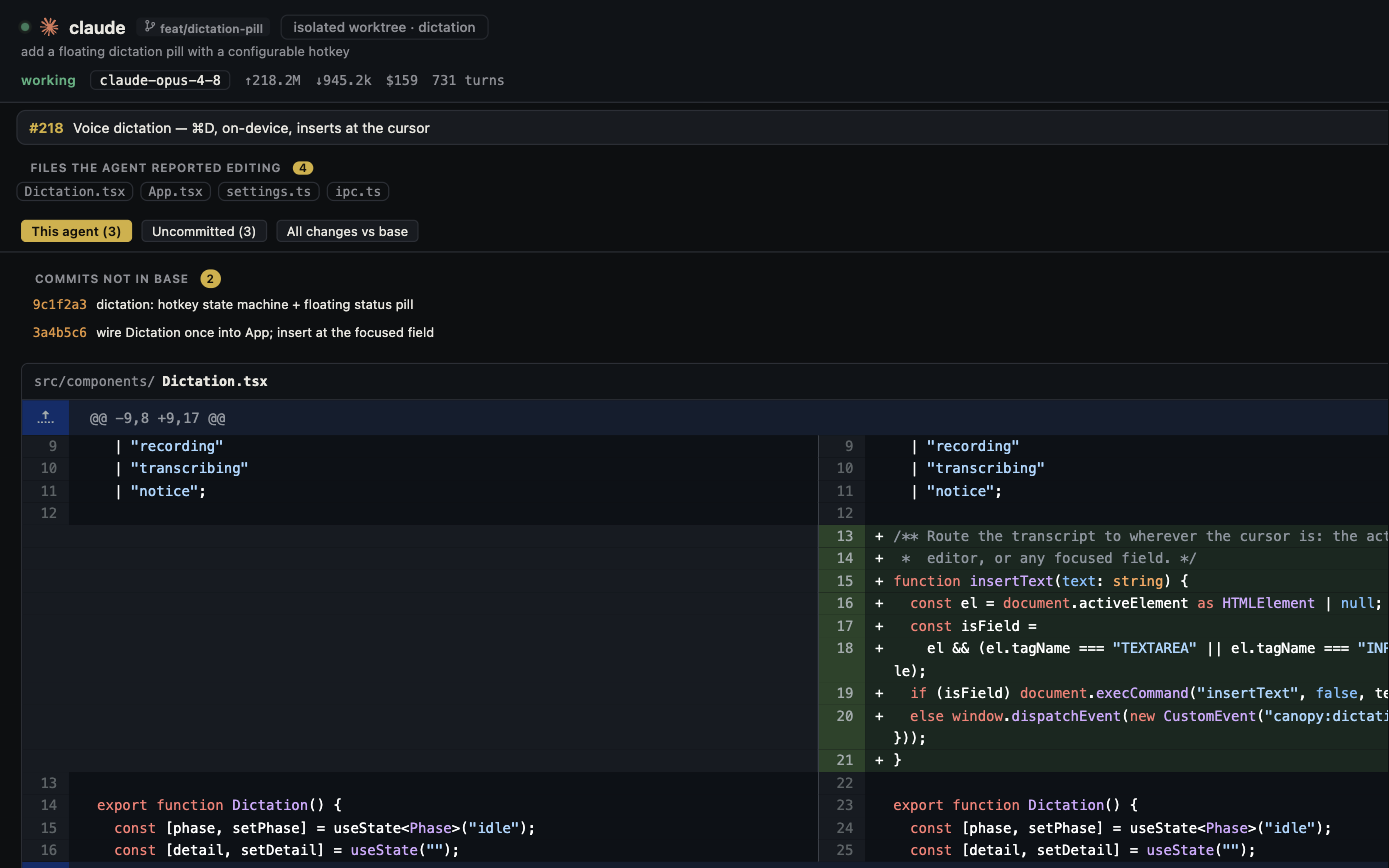
Example: one agent builds, one reviews
Claude Code builds a settings screen while Codex reviews the authentication flow. Give each its own outcome: a running screen and diff from one, findings tied to files and behavior from the other. If the reviewer needs the new code, wait for a stable branch or PR.
Give code-changing work its own checkout
Launch each CLI from its own worktree and branch, so one agent's uncommitted edits can't overwrite the other's. Shared dependencies, API contracts and merge conflicts still need coordination. Canopy shows the branch, files, commits and PR beside each session.
Use shared context for handoffs
In the same Canopy project, check recent prompts, file activity, claims and agent messages. Tell the reviewer which branch or PR to read, what should work, what to test and what needs a second opinion. Shared context doesn't merge conversations or accounts.
Choose the model in each CLI
A quick investigation may suit a lighter model; a hard change or critical review a stronger one. Pick it in Claude Code or Codex. Canopy summarizes the usage each exposes. The cost shown is an estimate, not a combined bill.
Finish at the diff and running app
Read the implementation branch's changes and run the project. Compare the preview with the request, check tests and CI, and have the reviewer challenge assumptions. Fix findings on the branch, read the new diff, and merge through your normal PR process. Count accepted changes, not agent tabs.
Frequently asked questions
Do Claude Code and Codex share a paid subscription in Canopy?
No. Each CLI uses its own account, model settings and billing. Canopy organizes their sessions and project context.
Can both agents edit the same file?
They can, but separate worktrees don't resolve competing decisions or merge conflicts. Assign clear ownership and review the combined result.