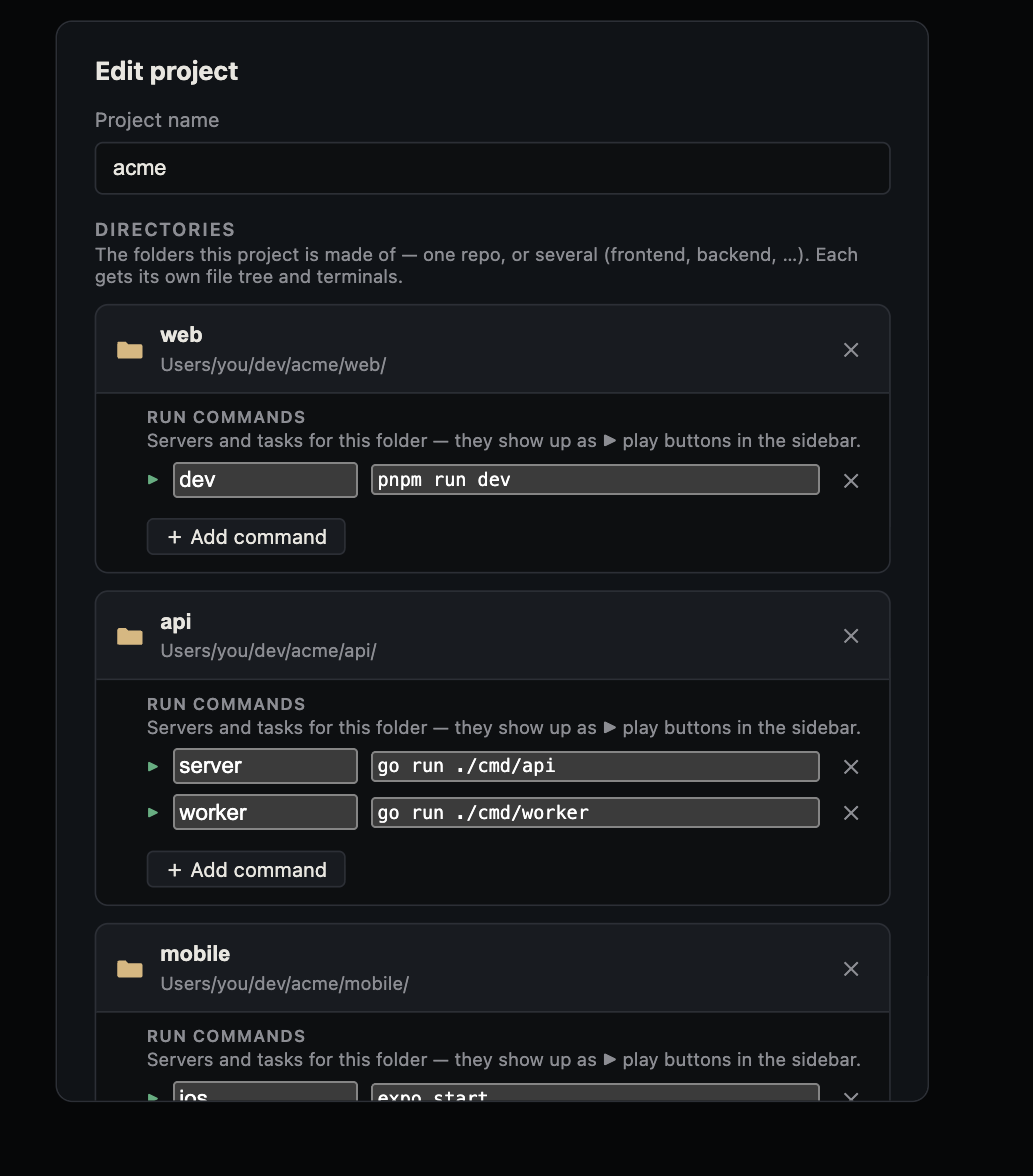
A website can look ready while its API is down or its worker is idle. Save each local process as a project command, start them in dependency order, and verify their behavior from the page through the logs. Canopy keeps those controls beside the agent; your project still supplies the actual commands and runtimes.
List the processes before starting them
Read the repository README and identify each component's directory, runtime, install step, command, expected ready line, and port. A website, API, and worker may live in one folder or separate folders. Save each as a labeled Canopy project component with the correct working directory. Canopy's current-main README describes configured services, detected URLs, and Preview; check your installed release before relying on a specific control. Canopy runs your command rather than providing the project's database, cloud service, or runtime for you.
| Component | Sample command | Evidence of startup |
|---|---|---|
| API | node api.mjs | API ready at http://127.0.0.1:4175 |
| Worker | node worker.mjs | A tick message after the API is ready |
| Website | node website.mjs | Website ready at http://127.0.0.1:4173 |
Start in dependency order and read output
In the sample, start the API first, then the worker and website. Open the URL printed by the website process, not one remembered from yesterday. Keep the server process open while testing. Use the Servers panel to compare running state, output, and detected ports with the command you saved. If a process exits, read its first relevant error: a missing runtime, absent environment value, occupied port, and failed API connection require different fixes. For a real Trigger.dev project, its development worker is another command in this list; its task runs and credentials remain in Trigger.dev's own development environment.
Verify the full chain, not a green process badge
The sample website should show an increasing tick count while the worker posts to the API. Stop only the worker: the count should stop increasing while the API and website stay live. Restart it: the count should resume. If you stop the API, the sample's in-memory count resets. These observable changes tell you which component is responsible. In a real app, exercise the feature and watch the matching website, API, and worker logs. A listening port proves a process bound an address; it does not prove that a user action succeeds.
Return to a project with a fresh state check
Saved commands and restorable agent conversations help you find your way back, but they do not establish that the old services survived app exit or machine sleep. On return, inspect each current process, restart only what is stopped, and recheck the reported URLs. If two agent worktrees are open, confirm which checkout launched each server; worktrees can still collide on ports or share an API and database. Record startup order and any safe configuration names in the README so the next person can reproduce the stack without copying secrets.
Hand the live evidence to the right agent
When a feature fails, send one agent the checkout and branch, exact page URL, action performed, visible result, and the first relevant log line from the component that failed. Ask for a focused diagnosis before edits. After a fix, restart affected components and repeat the same action, then inspect the final diff. The related one-click sample guide gives a full exercise; this guide provides the process inventory and verification pattern for your own project.
Copyable resources
Component run sheet
Fill this once for each website, API, worker, or local dependency.
Component: [website / API / worker]
Working directory: [path]
Runtime and version: [tool]
Install or setup step: [documented command]
Run command: [exact command]
Ready line and local URL: [expected output]
Depends on: [other components]
Port and checkout: [port / branch / worktree]
One behavior that proves it works: [observable action]
Where to inspect failure: [log / dashboard / browser request]
Secrets: [names and owner only; never values]
Frequently asked questions
Can Canopy run a Trigger.dev development worker?
Yes, as a configured project command, just as it can run a website or API command. It is not a special hosted Trigger.dev integration.
Are old servers still running when I resume a project?
Check the Servers panel. Canopy remembers commands and sessions, but a stopped app does not imply yesterday's processes remain live.