
You can keep building in Lovable and use a local coding agent on the same repository. Lovable's Git sync is two-way but follows one branch. Finish the Lovable edit, confirm sync, work on a feature branch, review a PR, merge to the synced branch, then check Preview and publish. Watch the environment: a local clone can still call the real Lovable Cloud backend.
Know what each product owns
Lovable provides AI app building, GitHub sync, drafts, preview, Cloud services and publishing, and its Git sync guide supports editing a clone with an IDE or coding assistant. Canopy adds a workspace around an installed CLI: run commands, Preview, files, diff and PR review. It doesn't replace Lovable Cloud or publish to Lovable. You need Git access, the project's runtime and a signed-in CLI.
| Surface | Check before editing | What happens next |
|---|---|---|
| Lovable | Git sync status and active synced branch | Merges to that branch return to the project |
| GitHub | Repository access, feature branch, PR checks | Reviewed commits enter the synced branch |
| Canopy | Correct local checkout, installed CLI, run commands | Agent edits and local Preview stay inspectable |
| Cloud and live app | Backend target, test data, publish permission | Preview and published URL need separate checks |
Connect GitHub and start from a clean sync
In Lovable, connect the project under Project settings → Git and note the repository, synced branch and status. New repositories are private by default. Let any Lovable edit finish and wait for in sync before cloning. Re-check compares histories; it doesn't sync. Without write access, ask the owner for a reviewed contribution route.
- Copy the clone URL from Lovable's Git settings.
- Note the synced branch; feature branches don't appear in Lovable until merged or selected.
- Never force push, rebase or squash the synced branch after Lovable has seen those commits.
Find out which backend the clone calls
Clone the repo, open it in Canopy and run `git status --short --branch`. Take the install and run commands from the README and package scripts, save them in Servers and open the URL in Preview.
A clone may still use the Lovable Cloud backend. A committed `.env` can hold its URL and publishable key, so local writes can hit live data. Use test accounts, check auth redirects, and keep secrets out of browser-prefixed variables and Git. A branch is not a separate database.
- Before a write test, find which backend and services the page calls.
- If a local AI or connector call fails, check whether it only works in Lovable Preview for this project.
- A synced migration or Edge Function is code only; Lovable doesn't run or deploy it from a commit.
Give one agent a bounded branch
Branch from the synced branch and give the CLI one request with a visible pass and fail state. For example: fix the sign-up form's duplicate submit without schema changes, and report the test, result and backend calls.
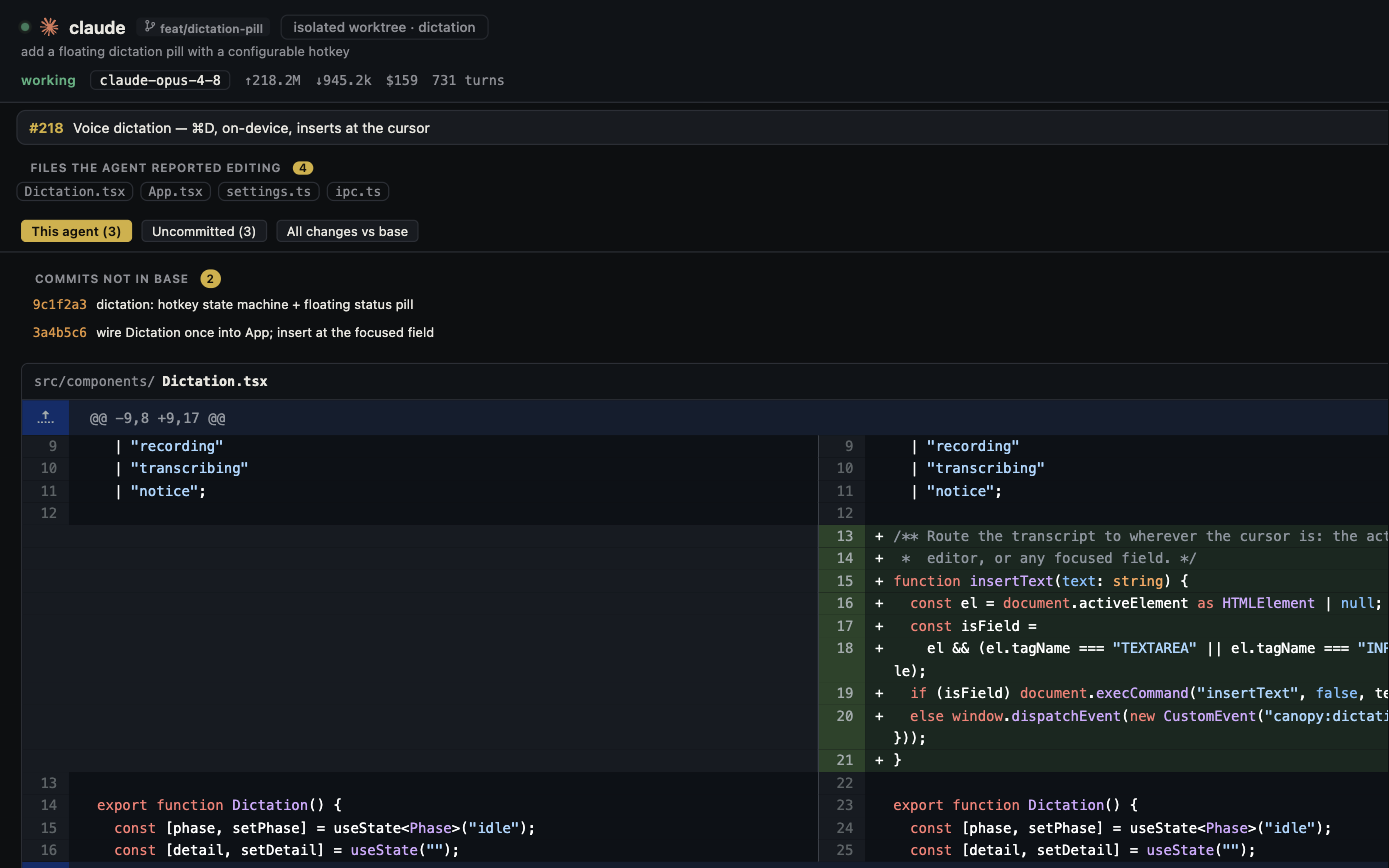
Check the agent's directory, branch, terminal and page, then read the diff. Give parallel agents their own worktrees. Open a PR and let checks finish. A local build doesn't prove Lovable Preview or the live site works.
- Review dependencies, auth rules, migrations and secrets before merging.
- Keep the branch and PR link in a short handoff.
- If the agent edited the wrong checkout, move only reviewed changes to the right branch.
Merge, then check sync, Preview and the live site
Merge into the synced branch and wait for in sync; agree a review path if the branch is protected. Test in Lovable Preview, tell Lovable what changed, and record lasting constraints in project knowledge and tests.
Publish when the owner is ready, then open the live URL. Merge, Preview and the published snapshot are separate states. Drafts don't sync as Git branches until accepted, and accepting one doesn't publish it.
| Boundary | Evidence | If it's missing |
|---|---|---|
| GitHub to Lovable | Sync card says in sync; changed file visible | Check active branch and sync error |
| Lovable project | Expected behavior in Lovable Preview | Check build, auth, Cloud call and backend deployment |
| Published app | New behavior at live URL after publish | Publish changes and check the deployed version |
Recover from a diverged or blocked sync
If both sides have unmatched commits, stop editing and compare histories. When a protected branch or conflict rejects a push, Lovable may save its work to `lovable-sync`. Review that branch as a PR; don't delete it or force push to clear the warning, because a later GitHub sync can replace Lovable's copy. If edits are still missing, save the commit IDs and follow Lovable's troubleshooting guide.
Local edits don't spend build credits, but Cloud or AI calls from the local app do. The CLI bills separately.
- Check the PR targeted Lovable's synced branch, not a similarly named default.
- Read `lovable-sync` before merging it.
- Name who deploys any migration or function and checks the data.
Copyable resources
Copy into an issue or PR. Record identifiers and results, never secrets or customer data.
Lovable project and GitHub repo: [ ]
Active synced branch and last in-sync time: [ ]
Starting commit and feature branch: [ ]
Runtime/install/run commands: [ ]
Canopy release, CLI, working directory: [ ]
Backend target and test-data plan: [ ]
Requested behavior and failure check: [ ]
Agent diff, test result and PR URL: [ ]
Migrations/functions and owner: [ ]
After merge: in-sync status [ ]; Preview behavior [ ]
After publish: live URL and behavior [ ]
Next task, project-knowledge constraints and reviewer: [ ]
Frequently asked questions
Can I keep using Lovable after an agent edits the repo in Canopy?
Yes. Merge the reviewed branch into Lovable's synced branch, wait for sync and test in Preview. Tell Lovable what changed so its next edit builds on the right code.
Will my local feature branch or Lovable draft appear on the other side automatically?
No. Lovable follows one synced branch; a feature branch reaches it after merge or a branch switch. A draft isn't a Git branch until accepted.
Does running the clone locally make a safe test database?
No. A local app can call the same Lovable Cloud backend and change real records. Check the environment, use test data, and set up a separate backend when the work needs it.
Does merging a PR publish the Lovable site?
No. Merge and sync update the project and Preview. The live site changes only after you publish.
Does this avoid all Lovable charges?
No. Local edits don't use build credits, but local calls to Cloud or Lovable AI may. The coding CLI and other services bill separately.