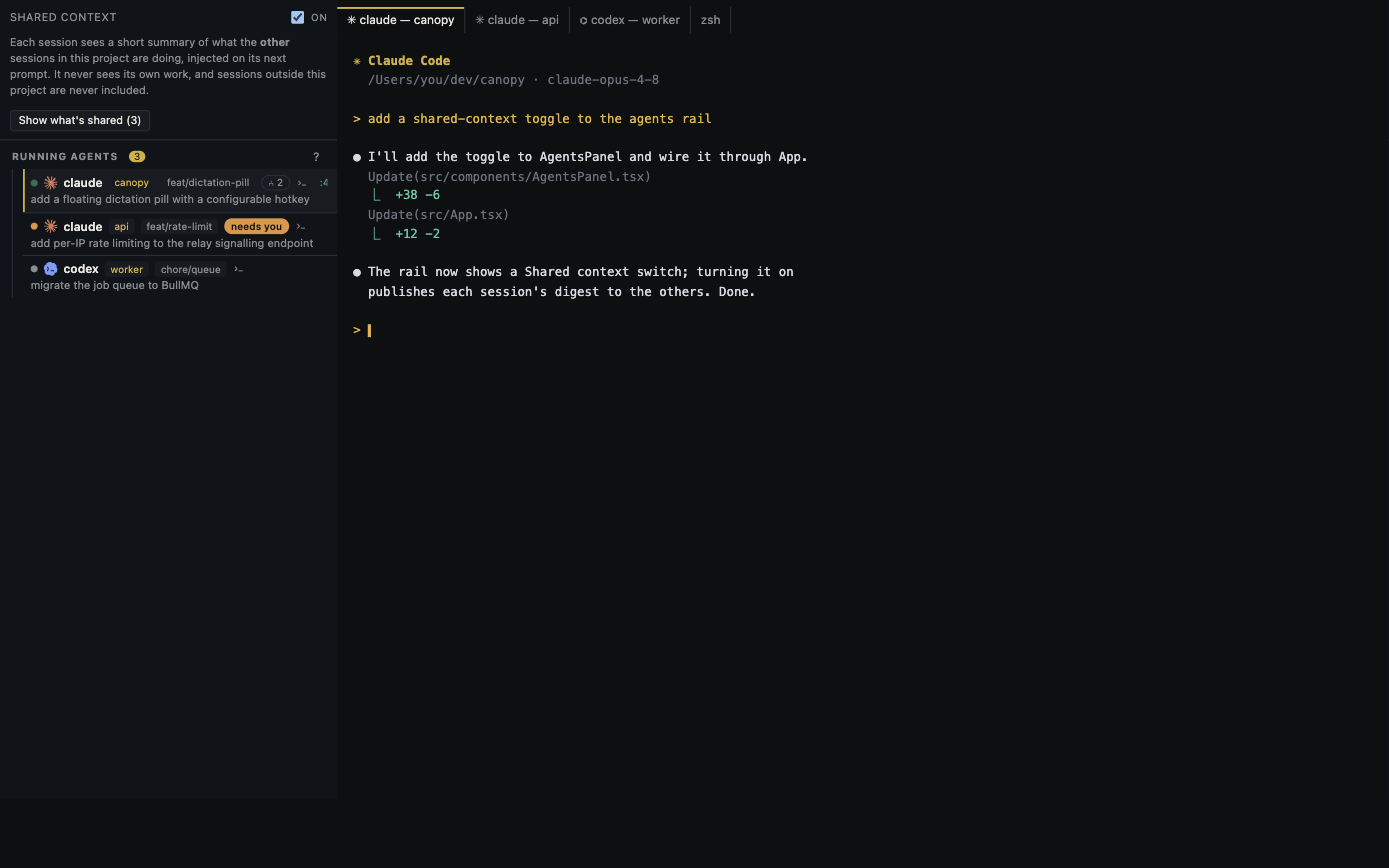
When several agents run at once, the costliest mistake can be answering the right question in the wrong session. Triage the work by identity and decision, then open only the session that needs action.
Give each session a recognizable job
Before launching agents, write a one-line outcome for each: 'settings form validation', 'read-only auth review', or 'API contract investigation'. Keep code-changing tasks in separate worktrees and branches. A colored tab or model name helps orientation but is insufficient when two sessions use the same CLI. The project, component, checkout, and branch identify where a reply will take effect.
Scan for the next human decision
Canopy's Agents rail reports lifecycle, project, branch, last prompt, resource use, and whether a supported session needs you. Its project attention surfaces also collect questions, completions, reminders, and team messages. Start there, then open the terminal to read the exact request. Support differs by CLI and installed version; a missing waiting marker is not proof that the agent is progressing, so inspect the terminal if a session looks stale.
Classify waiting work
A permission or credential request needs a decision about access. A product question needs an acceptance criterion. A completed implementation needs preview and diff review. A failed command needs its error and environment checked. Do not send 'continue' to every stalled tab. Answer the specific blocker, or stop the session and assign a smaller next task when the request is too broad.
Check identity before sending feedback
Read the session's project, checkout, branch, and last prompt immediately before typing. When feedback concerns a PR, include the PR number or branch and the exact finding. When it concerns a visual issue, include the page, viewport, and screenshot. This small pause prevents a review comment for one branch from becoming edits in another. If two agents may modify the same files, settle ownership before replying.
Close the attention loop
After answering, verify that the agent resumed the intended task. When it reports completion, inspect changed files, tests, and the running result rather than treating the cleared alert as acceptance. Record the next owner and action in the project or PR so a later session can resume without reconstructing the decision from terminal history.
Copyable resources
Five-field attention card
Use one card per session when several tasks are open.
Project/component: [ ]
Checkout/branch: [ ]
Session job and current state: [ ]
Exact question or blocker: [ ]
My next action and owner: [ ]
Before replying: verify the project and branch in the live session.
After replying: confirm the intended work resumed; review the result at the latest diff.
Frequently asked questions
Does Canopy detect every agent's waiting state equally?
No. CLI integrations expose different hooks and signals, and installed releases can differ from current main. Inspect the terminal when a status is missing or ambiguous.
What should I do when an agent asks for permission?
Read the exact operation and its scope in the correct session. Approve only if it fits the task and your project's access rules; otherwise give a narrower path or stop the attempt.