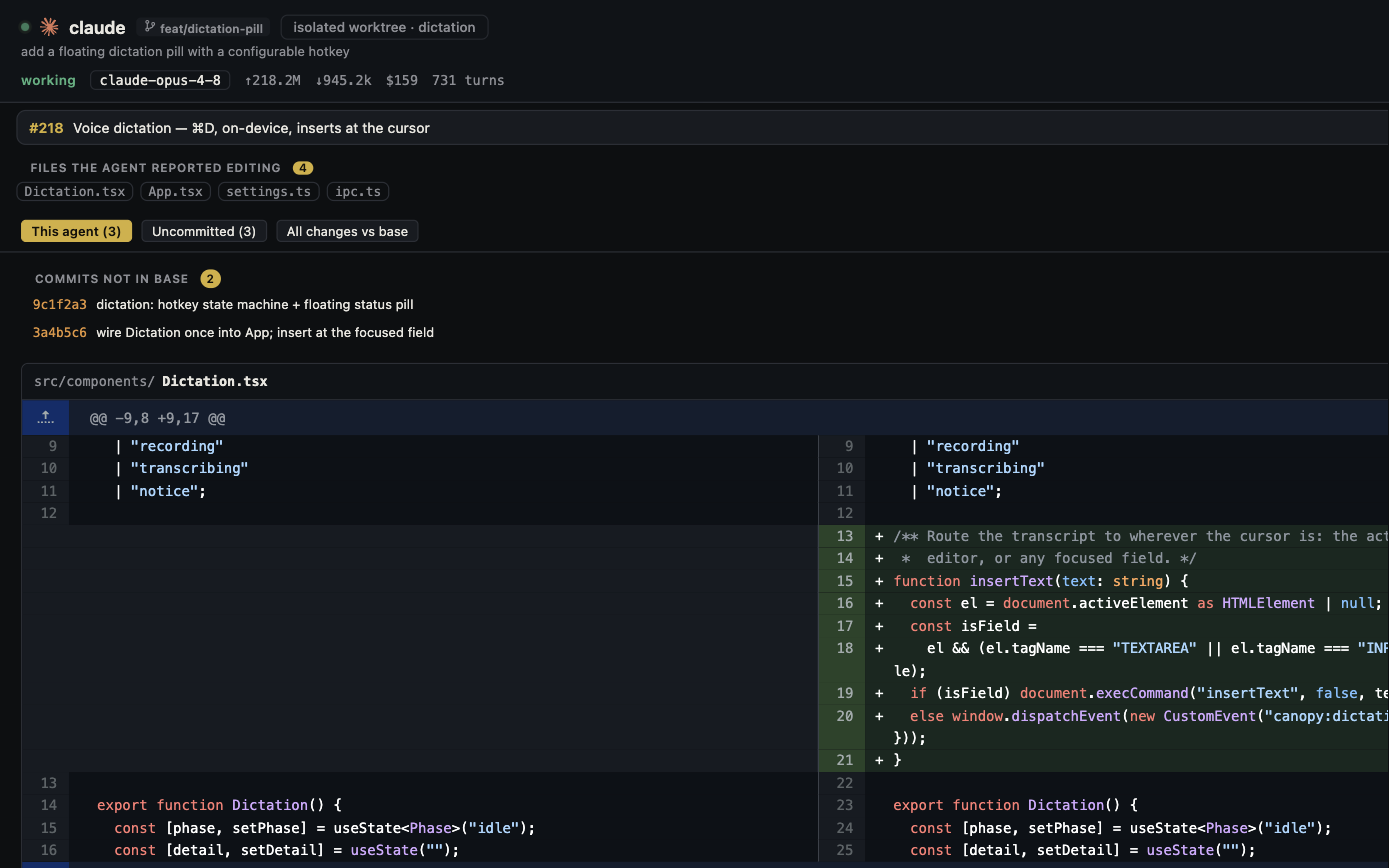
A Bolt project can continue in Bolt while you make a reviewed change with a local coding agent. Bolt's GitHub integration connects the same repository to both workflows, supports branches, and fetches outside commits. The handoff still needs care: Bolt does not merge branches inside its app, and its docs warn that very close Bolt and GitHub updates can overwrite the GitHub version. Use a small feature branch, a clear pause between editors, and separate checks for local preview, Bolt preview, and the published site.
Keep Bolt's strengths in the picture
Bolt is an AI builder with a browser development environment, project preview, Code view, model choice, Cloud services, and its own hosting path. Its GitHub integration can create a private repository from a Bolt project or import an existing repository, and Bolt can switch or create branches. Canopy is a local desktop workspace around an installed CLI agent, the repository's own runtime, saved service commands, Preview, and Git review. It does not replace Bolt's browser build environment, Cloud backend, or publishing. Use this workflow when you want an agent and reviewer to work on a Git branch outside Bolt while keeping Bolt available for later iterations.
| Place | What it owns | Evidence to collect |
|---|---|---|
| Bolt | Browser build session, selected branch, hosted Preview | Current branch and visible behavior |
| GitHub | Shared commits, feature branch, PR and merge | Reviewed head commit and checks |
| Canopy | Local CLI session, run commands, local Preview and diff | Correct checkout and reproducible result |
| Bolt hosting or other deployment | Public version and backend services | Live URL, deploy state, and data target |
Connect GitHub and freeze a known starting commit
In Bolt, open the GitHub icon and connect the account and project using the documented integration. If Bolt creates the repository, its docs say it starts private on `main`. If the team already has a repository, Bolt can import it; check that the imported app is the intended project before editing. Confirm the Bolt branch and the latest commit in GitHub. Let any active Bolt change finish and appear in the repository before cloning. Bolt says it saves nonbreaking changes as commits and checks GitHub about every 30 seconds for outside updates; that is a sync mechanism, not a promise that simultaneous changes will merge safely. Agree on a handoff window so a teammate is not prompting Bolt to edit the same feature during the local PR.
- Clone from GitHub, then record `git status --short --branch` and the starting commit in the local checkout.
- Do not disconnect the Bolt project just to try local work; Bolt's docs say a disconnected project cannot be manually reconnected to the same repository.
- If a collaborator made edits in Bolt, ask the project owner to open the project and verify that those changes reached GitHub before starting from the clone.
Prove the local app can run without assuming the backend moved
Open the clone in Canopy and read the repository README, package scripts, lockfile, and environment documentation. Install the matching project runtime and dependencies, save the actual development command in Canopy Servers, and inspect its local URL in Preview. Bolt's browser runtime is based on WebContainers; a local machine needs its own compatible Node setup and any services the app uses. Identify whether the app calls Bolt Cloud, Supabase, Stripe, or another external service. Source code in GitHub is not a copy of database records, secret values, or hosted settings. Use a test account and safe records for write tests, and keep credentials out of Git and agent prompts. If a local page renders but login or a save action fails, inspect the request destination and missing environment setting before asking an agent to rewrite business logic.
- Write down the local start command, URL, and one successful and one failing user action.
- Check which backend the local app will write to before testing create, update, or delete behavior.
- Keep local Preview and Bolt Preview as separate observations, even when both show the same source commit.
Ask the agent for one reviewable change
Create a feature branch from the known starting commit. Give an installed CLI in Canopy a bounded request, such as: show an inline validation error when the checkout email is empty, preserve the entered cart, and demonstrate valid and invalid cases without changing payments or database structure. Verify the agent's directory and branch, run the app and tests, and inspect the diff. If you use several agents, give code-changing jobs separate worktrees and outcomes. Open a GitHub PR, inspect dependencies and environment edits, and let the repository's checks run. Bolt documents that branches are created and selected in its UI but merging happens in GitHub; the PR is the integration point.
- Ask for changed files, exact test commands and results, and any behavior the local environment could not verify.
- Review payment, auth, data, and deployment changes with the responsible owner before merge.
- Keep a short handoff so a new CLI session can resume from the branch and current result rather than replaying the whole transcript.
Merge, fetch, and check the visible result
When the PR is accepted, merge it in GitHub to the branch Bolt should show. In Bolt, confirm that branch is selected and the merged files and behavior appear in Preview after it fetches GitHub updates. Bolt's docs say it checks for outside commits about every 30 seconds; if the expected change is absent, inspect branch, commit, and integration state instead of repeatedly re-prompting the builder. Bolt warns that rare near-simultaneous Bolt and GitHub updates may result in Bolt's changes overwriting GitHub's version, so review the repository history and diff if the two sides changed at once. If the project is published through Bolt hosting or another deploy service, verify that deployment separately at its live URL. A local passing test or GitHub merge does not prove the public version changed.
| Boundary | Check | If it fails |
|---|---|---|
| Local | Canopy Preview and relevant test pass | Inspect runtime, env, and backend call |
| GitHub | Reviewed PR merged to intended branch | Check branch, checks, and diff |
| Bolt | Selected branch shows merge in Preview | Check fetch, integration, and competing edits |
| Public app | Live URL shows accepted behavior | Inspect publish or deployment status |
Decide whether to stay in Bolt, move, or use both
This workflow keeps Bolt in the loop. If your aim is a full move to local development, include deployment, database, authentication, secrets, domains, background work, and support ownership in the plan; a repository clone proves only that you have the code. If Bolt's browser editor and hosting serve the project well, use local Canopy for a bounded PR or a CLI model that you already have, then return to Bolt for preview and product changes. Bolt's own token-efficiency guidance recommends scoping prompts and using its planning tools; a local CLI shifts some AI work to that provider, but it does not guarantee a lower total bill. Record the accepted task, Bolt usage, CLI account usage, and human review time separately.
- Use the same feature, acceptance checks, and starting commit when comparing workflows.
- Treat a repo backup, a runnable local app, and an independently deployed app as three different milestones.
Copyable resources
Bolt ↔ local agent handoff card
Record identifiers and test results without copying credentials or customer records.
Bolt project and GitHub repository: [ ]
Bolt selected branch, starting commit, last sync check: [ ]
Local branch and Canopy checkout: [ ]
Runtime, dependency install, and local run command: [ ]
Local backend/API target and safe test account: [ ]
One task with valid and failure acceptance checks: [ ]
Agent CLI, changed files, tests, and PR URL: [ ]
Merge commit and target branch: [ ]
Bolt selected branch, fetched commit, Preview check: [ ]
Publish/deploy owner, live URL, and live behavior check: [ ]
Any conflicting Bolt/GitHub edits and recovery decision: [ ]
Frequently asked questions
Can I work locally and return to the same Bolt project?
Yes, with Bolt's GitHub integration. Work on a reviewed branch, merge in GitHub, select the intended branch in Bolt, and verify that Bolt fetched the change.
Does Bolt merge my agent branch automatically?
No. Bolt lets you create and select branches, while its documentation says branch merges must happen in GitHub.
Will a local clone include Bolt Cloud data and secrets?
A Git clone gives you repository files, not a separate database or hosted secret store. Identify the app's external services and use safe test data before writing through the local app.
Does merging the PR update the live Bolt site?
Do not assume it does. Check the Bolt branch and Preview, then inspect the project's publish or deployment state and test the public URL separately.
Does moving an edit to a local agent always save tokens?
No. It moves agent work to the installed CLI's provider account, while Bolt Cloud and hosting may remain in use. Compare the accepted result, retries, review effort, and each provider's records.
Sources and further reading
- Bolt GitHub integration, branches, fetch behavior, and sync conflicts ↗
- Bolt product and browser development environment ↗
- Bolt Cloud services ↗
- Bolt publishing ↗
- Bolt token efficiency recommendations ↗
- Canopy README: local agent, Servers, Preview, and Git review ↗
- Public question about continued local work on a Bolt project ↗