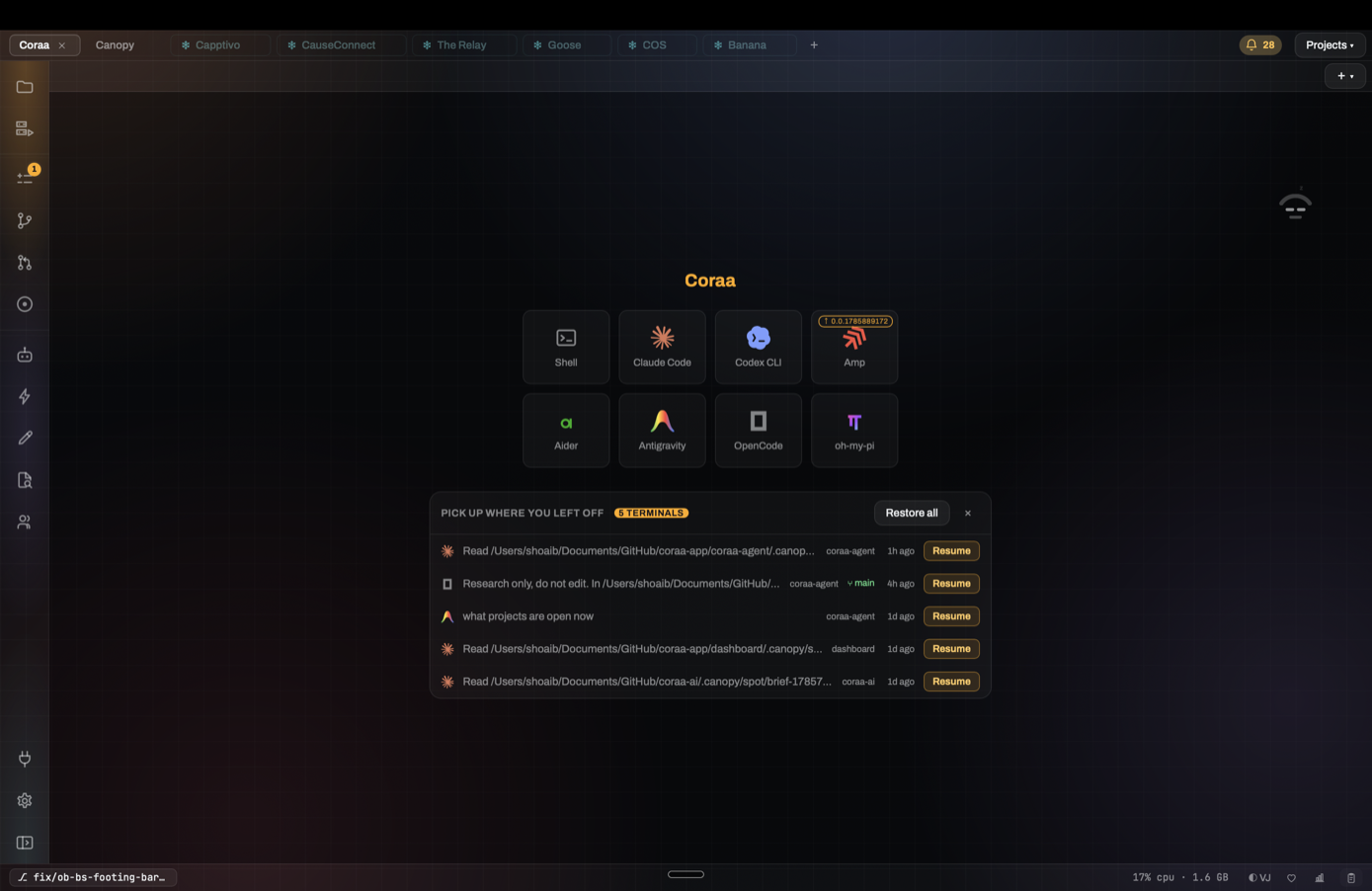
After a week away, the problem is often not that the model forgot. You forgot which branch, session, and decision were current. Search for evidence first, then choose whether to resume the old conversation or start a clean one.
Start with the artifact you remember
Search for a feature name, error message, file, PR, ticket, or phrase from the last conversation. Canopy's current-main SpotSearch documentation covers project content, branches, PRs, notes, research, task history, terminal output, and past agent conversations. Search results are leads: open the associated project and source before treating one remembered line as the final decision.
Reconstruct the current state
Check the repository branch and working tree, then open the latest commit or PR. Compare that state with the old session's last useful instruction and any note or research result. A conversation may discuss an approach that was later rejected; the current code and PR are stronger evidence of what actually happened. If a teammate moved the branch, read that work before resuming an agent against it.
Decide whether to resume or restart
Resume the prior CLI session when it has a pending question or useful task-specific reasoning and that CLI supports restoration in your installed release. Start a fresh session when the work has changed, the old context is noisy, or the branch has moved far beyond it. In either case, give the agent a short update with goal, branch, accepted decisions, checks already run, and one next action. Canopy preserves surrounding project evidence; each CLI owns its conversation history and resume behavior.
Bring the environment back
Inspect the saved project components and Servers panel. Restart only the website, API, or worker you need, and read their fresh output and detected ports. A restorable terminal is not evidence that yesterday's process is still alive. Open the reported preview URL and confirm it reflects the current checkout before deciding whether the feature is complete.
Leave a better breadcrumb this time
Before closing, save a concise note or update the issue/PR with the chosen approach, rejected approach, current branch, verification result, and next owner. Link the code artifact instead of copying a whole transcript. Search can retrieve history later, but a short accepted decision prevents the next session from repeating a debate that was already settled.
Copyable resources
Ten-minute project restart
Use after a few days away; skip steps that do not apply.
1. Search: [feature/error/file/PR phrase]
2. Open the matching project and verify branch + working tree.
3. Read latest PR/commit and any decision note.
4. Check the old session's last useful state; choose resume or fresh start.
5. Start required services and record actual URLs/ports.
6. Give the agent one bounded next action with current evidence.
7. Verify the running result and final diff before accepting it.
Frequently asked questions
Should I always resume the previous conversation?
No. Resume when its pending reasoning remains useful and the CLI supports it. A fresh session with a short, evidence-backed handoff can be clearer after the task or branch changed.
Will restarting Canopy automatically restart yesterday's servers?
Check the current process state. Saved run commands and restorable sessions help you resume, but they do not prove a process is still running.