
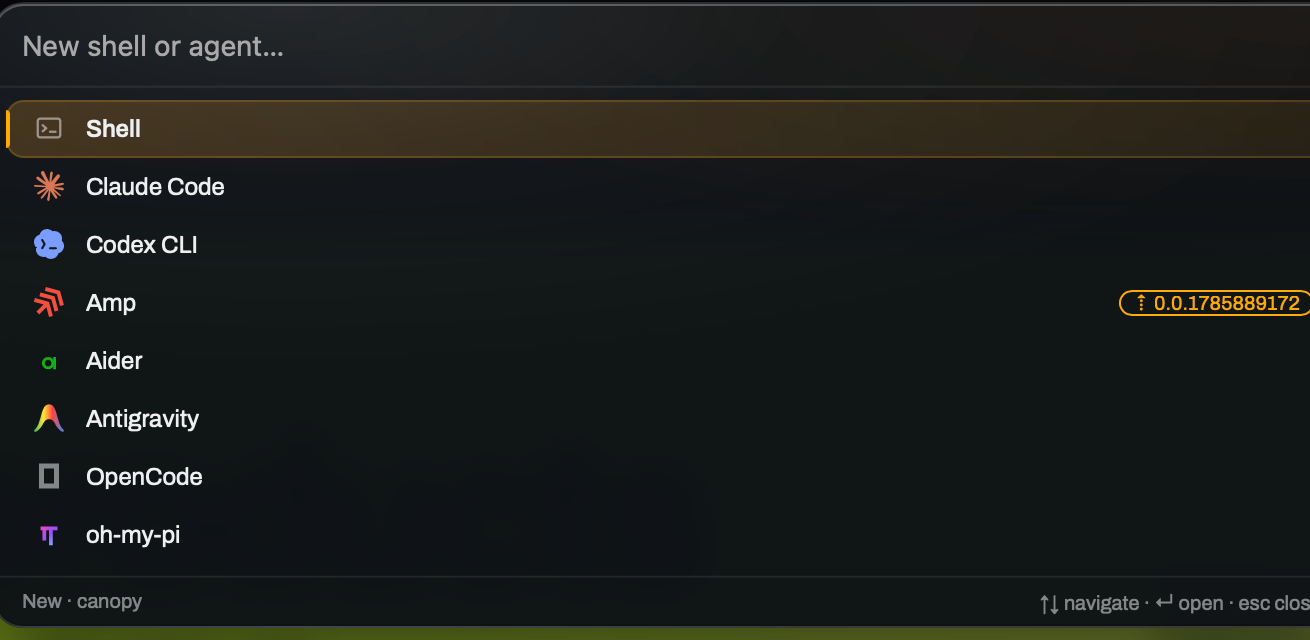
Canopy launches installed coding CLIs; it doesn't ship an Ollama model or reroute a CLI's provider. To run a local coding agent, install Ollama and OpenCode, point OpenCode at a model served on localhost, then launch OpenCode from your Canopy project. Confirm the selected model and one real edit before calling it offline.
Set up all three layers while online
Install Canopy, OpenCode and Ollama from official sources while connected. Pick a model that fits your hardware and supports tool use, and pull its weights before going offline. Ollama's CLI covers `ollama pull`, `ollama ls`, `ollama serve` and `ollama ps`.
Ollama recommends 64k or more context for coding agents. More context uses more memory, and a good chat model may still fail at tool calls. A model ending in `:cloud` isn't local.
| Layer | Owns | First evidence |
|---|---|---|
| Canopy | Project, terminal, local services, preview, Git review | Correct project and checkout are open |
| OpenCode | Agent session, model selection, tools, file edits | Selected provider/model and a visible tool action |
| Ollama | Model weights and inference endpoint | Local model listed and responding on localhost |
| Your project | Runtime, dependencies, data, tests, deployment | A run command and accepted behavior |
Connect OpenCode the way its version expects
OpenCode V2 probes Ollama at `http://127.0.0.1:11434` and lists discovered models under `/models`; select an `ollama/...` entry.
V1 needs an `opencode.json` entry using `@ai-sdk/openai-compatible` and `http://localhost:11434/v1`, which `ollama launch opencode --config` can write for you. V1's `provider` and V2's `providers` are different schemas, and the wrong one hides the model. Match the docs to your major version, and check the model appears in the session Canopy launches.
Confirm the endpoint and the chosen model
Run `ollama ls` for the weights and call `GET /api/tags` on localhost to check the server. In OpenCode, pick the Ollama entry in `/models` by full ID, then ask a read-only question about a file in a disposable repo. If another provider answers, you aren't testing locally. `ollama ps` shows CONTEXT and PROCESSOR; small context or CPU offload explains slow or broken work. Note the model, version and context before allowing edits.
Launch in the right Canopy checkout
Open a disposable repo in Canopy, check the branch and directory, and launch OpenCode there. Ask for one bounded change, such as fixing a failing form-validation test. Watch the terminal for tool activity, run the test and read the diff. Canopy doesn't pick OpenCode's provider or improve the model's tool use. If OpenCode is missing from the launcher, check its install path and your Canopy release.
Repeat the task with the Internet off
Disconnect from the Internet, keep localhost, and run a fresh small task with the same local model. Check the edit, test and diff. Note what still needs the network: package installs, MCP servers, remote databases, GitHub or project APIs. Those failures aren't local-inference failures; a silent switch to a cloud model is. The offline-workflow guide has the full checklist.
Copyable resources
Use a model your hardware can run. Start `ollama serve` only if the Ollama app or service isn't already serving; it holds the terminal open. OpenCode V1 may need the config-only step.
opencode --version
ollama pull qwen3:8b
ollama ls
# In a separate terminal, if Ollama is not already running:
ollama serve
# Check the local endpoint:
curl http://127.0.0.1:11434/api/tags
# In OpenCode, open /models and select the ollama/... model.
# For the V1 config path, follow the Ollama integration guide:
ollama launch opencode --config
# During a response, check context and CPU/GPU placement:
ollama psA reproducible check, not a model-quality benchmark. Commands and version rules come from the linked docs.
Canopy release/platform and project/branch: [ ]
OpenCode version and docs (V1/V2): [ ]
Ollama version, local model ID, weights present: [ ]
Server started: [ ]; `ollama ls` result: [ ]
Local `/api/tags` response: [ ]
OpenCode `/models` selected provider/model: [ ]
V1 config-only step or V2 discovery: [ ]
`ollama ps` CONTEXT and PROCESSOR during request: [ ]
Read-only question and visible response/tool activity: [ ]
Small edit, test command/result, final Canopy diff: [ ]
Offline repeat: local inference [ ]; accepted task [ ]; network dependencies [ ].
Frequently asked questions
Does Canopy include Ollama or a free local model?
No. Install Ollama, a suitable model and an OpenCode version that can select it. Canopy supplies the project and CLI workspace.
Why does Ollama work in a terminal but not appear in OpenCode?
Check your OpenCode major version and its provider rules: V2 discovers localhost models, V1 needs explicit config. Then confirm it's a completion model and the endpoint is reachable.
Does using Ollama guarantee my whole coding task is offline?
No. Pick a local model, not an Ollama cloud model, then test the runtime, dependencies, tools, MCP servers and integrations with the Internet off.
Will a small local model work as well as a hosted coding model?
Quality, context, tool reliability and hardware all vary. Try a bounded task with a real test and final diff before trusting it with larger changes.