Token optimization starts with the amount of context an agent must carry and the number of attempts a task takes. A cheaper turn that needs three retries can be a poor bargain.
Make the task small enough to verify
Ask for one outcome with an explicit acceptance check: for example, fix the login redirect and run the auth tests. Include the relevant path or failing behavior, but do not paste an entire repository or a long transcript by default. Ask the agent to locate what it needs. A focused task limits irrelevant context and makes its result easier to judge.
Start a fresh session when the job changes
Long sessions carry prior prompts, tool output, and file reads into later turns. Claude Code's guidance recommends clearing history for a new task and compacting when you need to continue the same one. These are CLI-specific controls: use the equivalent supported behavior in the tool you actually run. Save durable project rules in a short repository instruction file and link relevant decisions instead of hauling old conversation through every task.
Keep useful context, drop raw noise
When handing work to another session, pass a small brief: goal, branch, changed files, tests run, open questions, and the exact PR or commit to inspect. Avoid copying full terminal logs unless the failure requires them. Canopy's project context and searchable history can help locate earlier work, but the next model still needs a concise, explicit request.
Use the model that can finish the job
A lighter model may be appropriate for triage, summarizing a diff, or drafting a narrow test. A difficult migration, unfamiliar architecture, or independent review may need a stronger model. Select models in the agent CLI. Run the same bounded task with the same acceptance criteria before deciding one model is more efficient; compare retries, review findings, and accepted changes as well as reported tokens.
Treat parallel agents as extra consumption
Two active sessions can consume more total usage even when wall-clock time falls. Delegate independent outcomes, not overlapping edits. Give each code-changing agent a separate worktree, then decide whether a second session saved enough time or found enough defects to justify the extra work and review.
Read the usage screen correctly
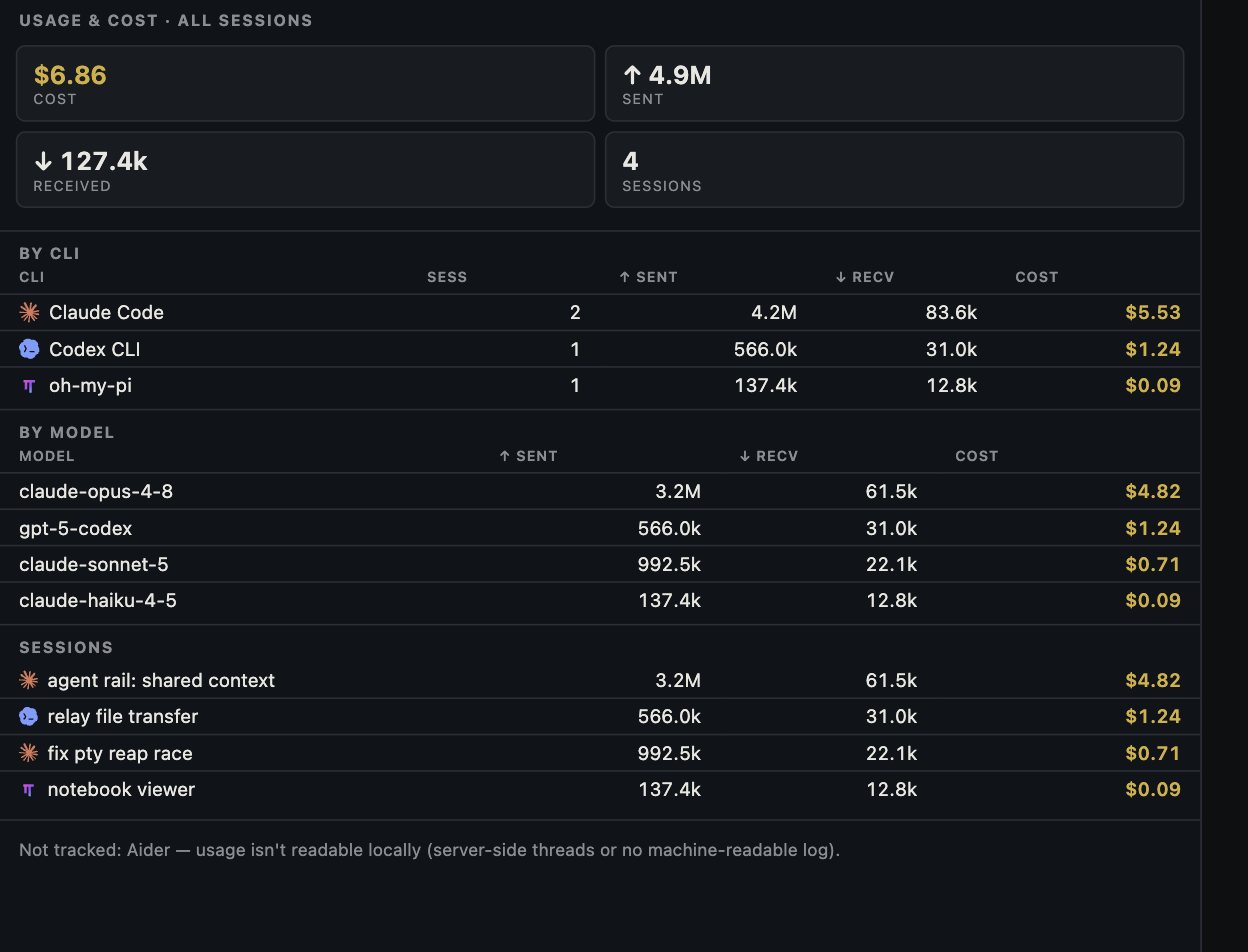
Canopy can summarize the usage signals supported CLIs expose by session, CLI, and model. Check timestamps and reporting gaps. A displayed dollar amount is an estimate of consumption, not necessarily your charge under a subscription or API agreement. Use the provider's billing and plan pages for actual charges and limits.
Frequently asked questions
Should I always choose the cheapest model?
No. Compare accepted outcomes, retries, and human review time. A stronger model can be more efficient on a difficult task; a lighter one may be enough for a bounded task.
Will compacting always save money?
It can reduce the context carried forward, but summarization has a cost and may lose useful detail. Clear a session when the task changes; compact when continuity is needed.
Does Canopy route my prompts to a cheaper model automatically?
No. Each installed CLI controls its own model selection, account, and billing. Canopy displays supported usage signals and organizes the sessions.