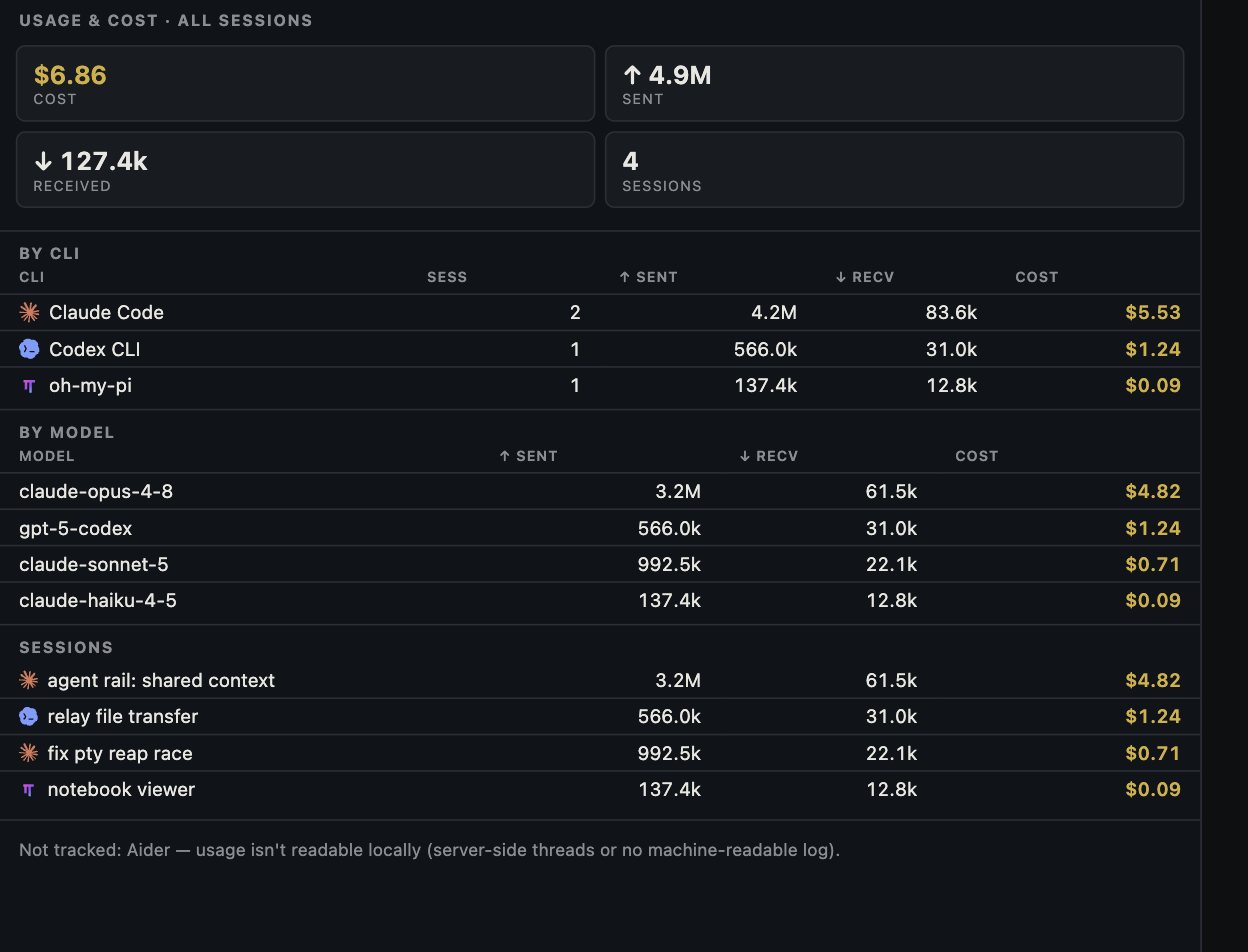
A surprising jump on a usage screen can have several causes: a long context, repeated tool output, a loop of failed attempts, another active session, or a stale estimate catching up. Diagnose which signal changed before changing models or deleting history.
Pause and capture a baseline
Stop sending new prompts to the affected session and note the time, CLI, model, task, and last completed action. In Canopy, inspect the session identity and available per-session usage signal alongside other live agents. Record the displayed ‘as of’ timestamp and units. A plan-limit percentage, context-window fullness, estimated dollar amount, and actual provider bill are different measurements; do not treat one as proof of another. Canopy's current-main documentation says token accounting is available for selected CLIs and that CPU, memory, and process state can be inspected; verify the integration in your installed release.
Find what grew
Inspect the recent conversation and tool output. Did an agent read a large generated file, print a long log repeatedly, search a broad directory, or retry the same failing command? Did a second agent or background task run in parallel? If the CLI exposes its context view, compare current context fullness with earlier turns. Anthropic's Claude Code guidance distinguishes context accumulation from rate limits and documents /context, /compact, and /clear. Use commands for the CLI you actually run; Canopy does not rewrite that CLI's history or billing.
Check the accounting boundary
Look at the provider's own usage or billing surface before assigning a monetary cost to the spike. A Canopy estimate may apply an equivalent token price to supported usage signals, while subscriptions, included allowances, caching, discounts, and delayed reporting change what was actually charged. If the Canopy snapshot is older than the suspected spike, wait for a new observation or use the provider record; an old percentage cannot diagnose a new turn.
Restart at a smaller boundary
Write down the last accepted result: goal, branch, changed files, checks run, and next action. For the same long task, compact in the CLI if supported and verify the summary retained critical decisions. For a different task, start a fresh session and pass the short handoff; do not carry a debugging transcript into unrelated work. Narrow file search and output requests to the affected component, and ask for one testable next step. A model switch may help a bounded task, but it does not fix an infinite retry or irrelevant context on its own.
Verify that the cause is gone
Run one small prompt and record usage, elapsed time, and outcome before resuming a larger job. If the unexpected growth persists, inspect CLI settings and active tools with that provider's documentation, then reproduce with a minimal task. Keep private account details, transcripts, and usage screenshots out of public bug reports unless you deliberately redact and authorize them. Compare completed work and retries, not only tokens for one turn.
Copyable resources
Runaway-session triage log
Use the same units and timestamps for before/after observations.
Observed at: [time and timezone]
CLI / model / session: [ ]
Task, branch, last accepted result: [ ]
Canopy usage signal: [value, unit, as-of timestamp, estimated or reported]
Provider signal: [value, unit, as-of timestamp, plan or API billing]
Context fullness if CLI exposes it: [ ]
Recent large reads, logs, retries, or parallel sessions: [ ]
Action: [pause, compact, fresh session, narrower scope, settings check]
One-prompt retest: [outcome, usage delta, elapsed time]
Remaining uncertainty: [ ]
Frequently asked questions
Does a full context window mean I hit my plan limit?
No. Context fullness describes what one model call can consider; a provider plan or rate limit is a separate allowance. Check the CLI and provider surfaces for the signal you are seeing.
Will switching to a cheaper model fix runaway usage?
It may change the rate per token, but repeated failed work or a large carried context can continue. Find the cause, bound the next step, and compare the complete result.
Is the cost shown in Canopy the amount I was billed?
No. Treat it as an estimate from available CLI signals. Use the provider's account or billing record for actual charges and limits.