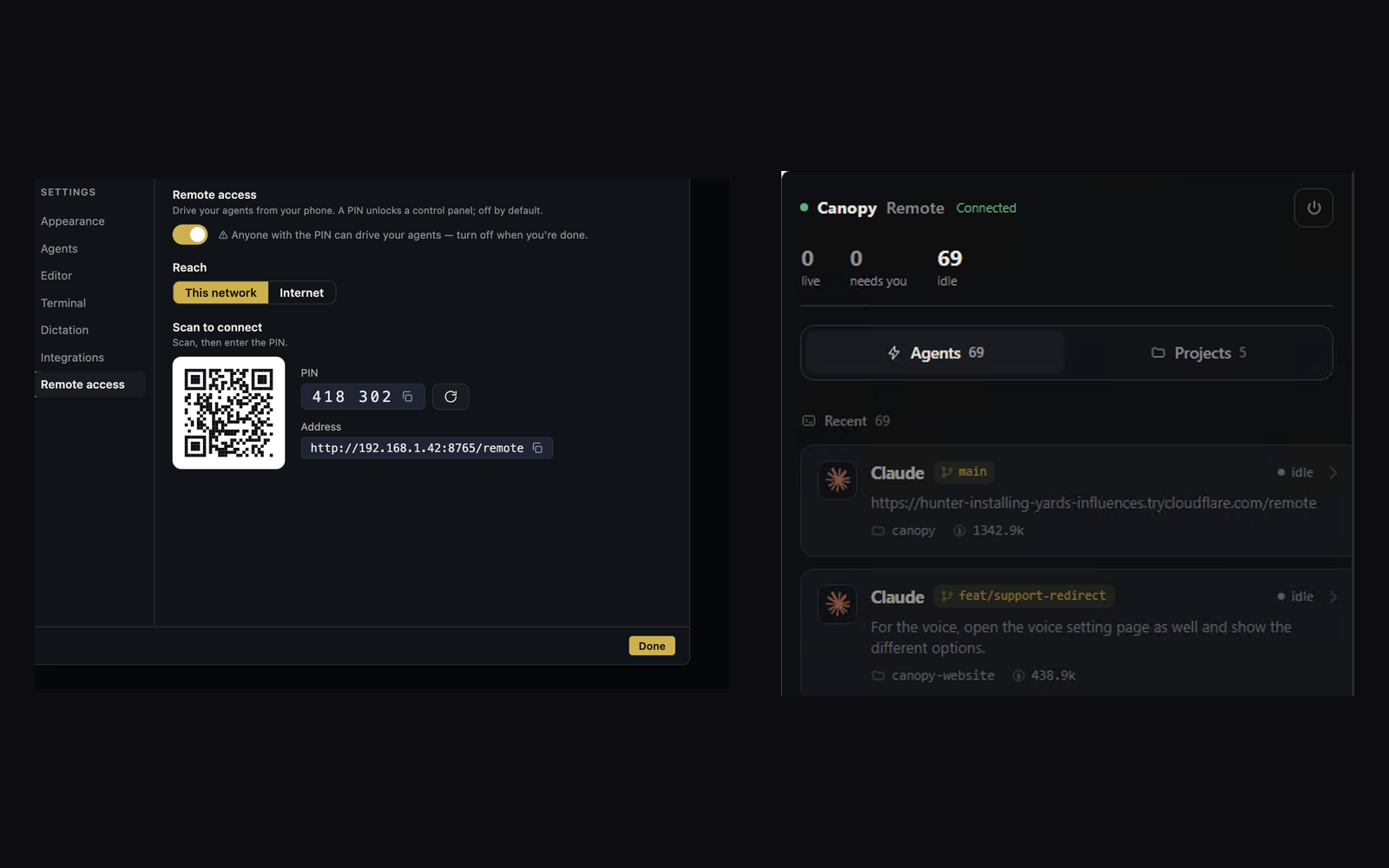
Canopy Remote lets you inspect and steer work from a phone or browser. A short access code makes that convenient. A person who can reach the Remote endpoint and holds the current PIN can operate the surfaces the session permits, so the access window should be deliberate.
Start with the running host
Remote connects to the Canopy instance on your computer; it is not a hosted copy of your project. The current-main README says Remote is off by default and can be reached on a local network or through an optional Cloudflare, ngrok, or Tailscale tunnel. Keep the host awake and connected for a live session. An external tunnel adds a network provider and exposure path you chose; turning off Remote or the tunnel after use closes that path. Check the controls in your installed release before sharing a link.
Treat the PIN as an access credential
The app README explicitly says anyone with the current PIN can drive its permitted surface and advises stopping or rotating it when finished. Share a PIN only with the intended operator, through an appropriate channel, and avoid placing it in a public issue, screenshot, stream, or agent prompt. If it may have been exposed, rotate or stop Remote and test that the old path no longer works. The architecture describes exchanging the PIN for a bearer session token, so a connected session has continuing authority within its granted scope.
Understand the Remote command boundary
Canopy's architecture says the Remote web app uses an explicit Rust GRANTS table. Direct file write, checkout, commit, push, merge, and vault commands are absent from that Remote command surface, and file paths are scoped to registered workspace roots. This is a useful restriction on direct Remote RPCs. It is not a promise that steering an existing terminal or coding agent cannot eventually change files or call other tools under that CLI's permissions. Inspect the exact session and prompt before sending instructions.
Verify the right project before acting
From the phone, confirm project, component, branch, agent identity, and last prompt. Read current terminal output and the changed-file state before approving a next action. If the agent is waiting for permission or proposes a PR operation, use the CLI's own approval and repository controls as documented; do not infer approval from the fact that Remote displayed the prompt. For consequential review or merge decisions, inspect the full diff and checks on a screen where you can read them comfortably.
End the access window
When finished, stop or rotate the PIN-protected Remote session and stop the optional tunnel if one was started. Recheck the desktop agent and service state so a background process is not mistaken for a closed browser tab. Save a short task checkpoint with branch, result, and next action. If the host exits, Canopy's architecture treats app exit as a native resource-cleanup boundary; a later CLI conversation resume is a separate action.
Copyable resources
Remote access session card
Use before and after a phone session; verify labels in your installed release.
Before: host running [ ]; correct project/branch [ ]; Remote enabled [ ]; connection route [LAN/tunnel]; intended operator [ ]; current agent permissions understood [ ].
During: inspect agent and process state [ ]; verify changed files and checks [ ]; send one bounded instruction [ ].
After: record outcome and next action [ ]; stop or rotate Remote PIN [ ]; stop optional tunnel [ ]; verify remaining desktop processes [ ].
Frequently asked questions
Can anyone with the current PIN control my agent?
Someone who can reach your Remote endpoint and has the current PIN can drive its permitted surface. Protect the PIN as an access credential, and stop or rotate it after use.
If Remote cannot directly call file-write or merge commands, can a remote operator still cause code changes?
Potentially. Remote can attach to terminals and steer a coding CLI, whose own permissions and tools may change code. The direct Remote grant list and an agent's capabilities are separate boundaries.
Does Remote work after I close the host app?
No. Remote controls a running local Canopy instance; it is not an always-on cloud workstation.