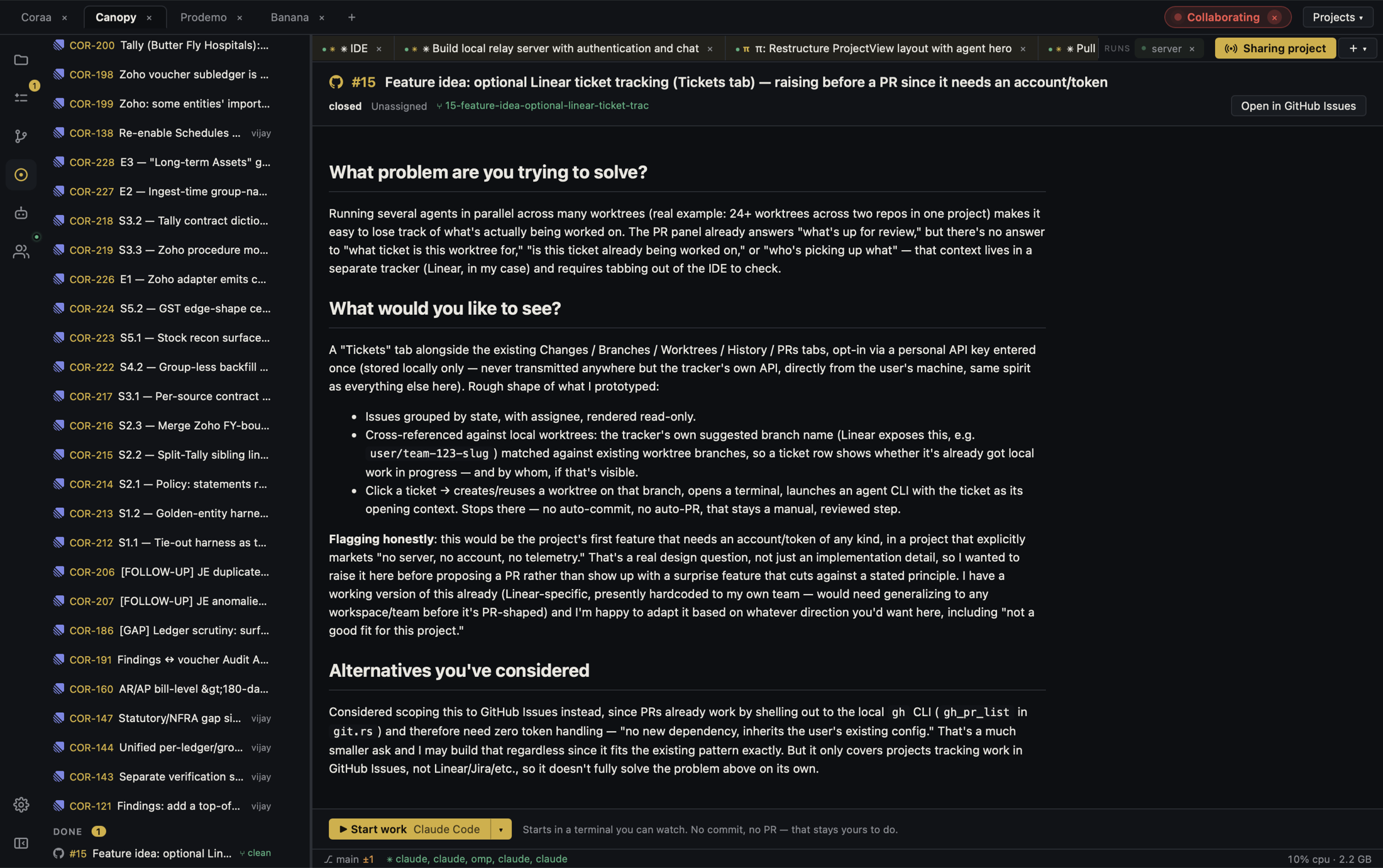
An issue title is a starting point, not a specification. The risky jump is from a short ticket to an agent that edits a large repository. Keep the discussion, checkout, acceptance checks, and final evidence connected.
Read the ticket and its conversation
Open the GitHub issue or Linear ticket and read comments, linked PRs, screenshots, and any later change in scope. Check whether someone already owns the work or a branch contains a partial fix. Canopy's current-main documentation says tickets can be read with their conversation, supported comments and state changes can be made, and work can be handed to a new or running agent. Confirm the integration you need in your installed release. Do not assume the original title still describes the accepted requirement.
Translate discussion into acceptance checks
Write the smallest observable outcome. For a slow search page, a check might be ‘a filtered result appears within the agreed target using the supplied test dataset’ and another might cover empty results. Separate must-have behavior from ideas mentioned in comments. If the target or dataset is missing, ask the ticket owner to decide before claiming success. Link the issue and relevant discussion in the task brief so the agent can inspect context without guessing.
Give one checkout one code owner
Start a new agent or hand the issue to an existing one that already owns the correct project. Check its CLI, branch, worktree, and current task before redirecting it. Use an isolated checkout for a code change when another agent or person is editing the main branch. State files or components to inspect, constraints, relevant checks, and what the agent should report when done. A second agent may investigate or review independently, but should not silently write into the same checkout.
Run the result and inspect the PR
Open the branch and diff in Agent Workspace, start the required local services, and test the issue's original reproduction plus a nearby failure path. Review changed files, commits, checks, and PR conversation. Canopy's documented code-changing background-task path produces an isolated draft PR; a terminal CLI may require a separate PR step. A draft PR makes the work visible, but it does not prove the ticket is solved. Ask for a focused fix if a check fails, then review the latest diff again.
Close the loop with a factual summary
In the PR, record which issue behavior changed, how it was verified, which checks ran, and remaining limits. Link the issue and PR using your team's normal workflow. Only change ticket state after the person responsible for acceptance confirms the result; a passing check is not necessarily acceptance. Keep the final note short enough that someone resuming next week can see the decision, code artifact, and next owner.
Copyable resources
Issue-to-agent handoff
Paste into a task brief after reviewing the full ticket.
Issue: [URL and current title]
Decision: [accepted behavior after reading comments]
Project / branch: [repository, component, worktree]
Reproduce: [steps, sample data, actual result]
Acceptance: [observable success], [edge or failure path], [relevant check]
Constraints: [API, migration, security, or UX boundary]
Before editing: inspect linked PRs and code; report ambiguity that changes scope.
Delivery: draft PR or branch; changed files; test commands and results; preview path; remaining risk.
Human review: test original issue, inspect latest diff, verify checks, then update ticket state.
Frequently asked questions
Can Canopy start an agent from a GitHub issue or Linear ticket?
The current-main app README describes handing a ticket to a new or running agent. Check your installed release and integration permissions; the CLI and its provider account remain separate.
Should an agent close the issue when a PR exists?
Wait for the responsible reviewer to verify the running behavior and final diff. A draft PR and green checks are evidence, not automatic acceptance.