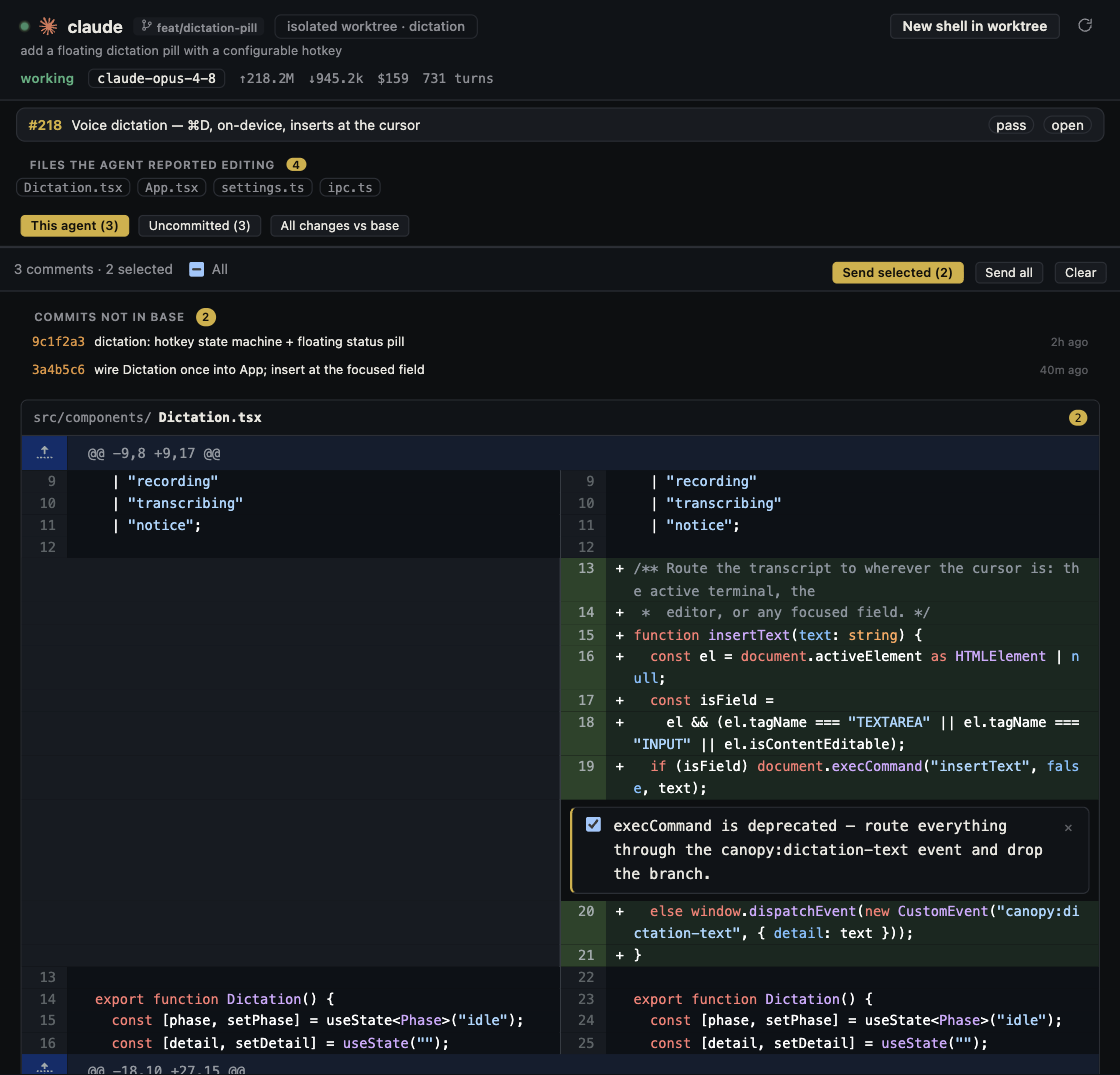
An agent saying it finished is the beginning of review. A useful workflow ties every proposed fix back to the PR, the running product, and the checks that guard it.
Reconstruct the request
Read the issue, acceptance criteria, PR description, and changed files. Identify the risky paths: permissions, data migrations, error handling, dependencies, or UI behavior. Canopy's Agent Workspace joins the session, branch, files, commits, and PR so you can trace how the change was made.
Get a second pass with evidence
Run the read-only review task to stage draft findings. Open the cited lines and decide whether each finding is valid and worth posting. Ask for a reproducible failure or specific edge case, not a generic quality verdict. The review task's drafts require your judgment before becoming public feedback.
Address feedback in a focused round
For a comment thread, check the requested behavior and choose the Address comments task when appropriate. It can validate open comments, make a fix, reply, and push. Resolve conflicts and Fix CI are separate focused tasks. Watch what each task did and inspect the new commits rather than assuming a green summary means the issue is closed.
Resolve the conversation after the concern is resolved
GitHub distinguishes a bug report, question, requested approach, and suggested edit in review feedback. Have the agent link its proposed response to the specific comment and latest code. If the change is out of scope, explain the decision and open a follow-up issue linked to the comment when appropriate; do not silently mark disagreement as fixed. GitHub notes that new commits update the PR and rerun checks, and substantial changes may warrant a new review request. Recheck the latest commit and review state before resolving a thread.
Verify the final state
Rerun relevant tests and the local app. Check that CI passed on the latest commit, comments were answered accurately, and no unrelated file changed. Review the final diff before merging. If a fix changes the original behavior, repeat the acceptance check.
Leave a useful record
Keep the PR conversation and agent session tied to the project. If a regression appears later, the team can see which review finding was accepted, what was changed in response, and which checks ran. That is more useful than a single 'fixed' comment.
Frequently asked questions
Does Canopy automatically approve or merge an AI PR?
No. Review findings can be staged as drafts, and a person should verify the final code and decide whether to merge.
What if CI passes but the preview looks wrong?
Treat the preview as a failed acceptance check. Give the agent a specific screenshot or behavior report, then inspect the next diff and run the checks again.