
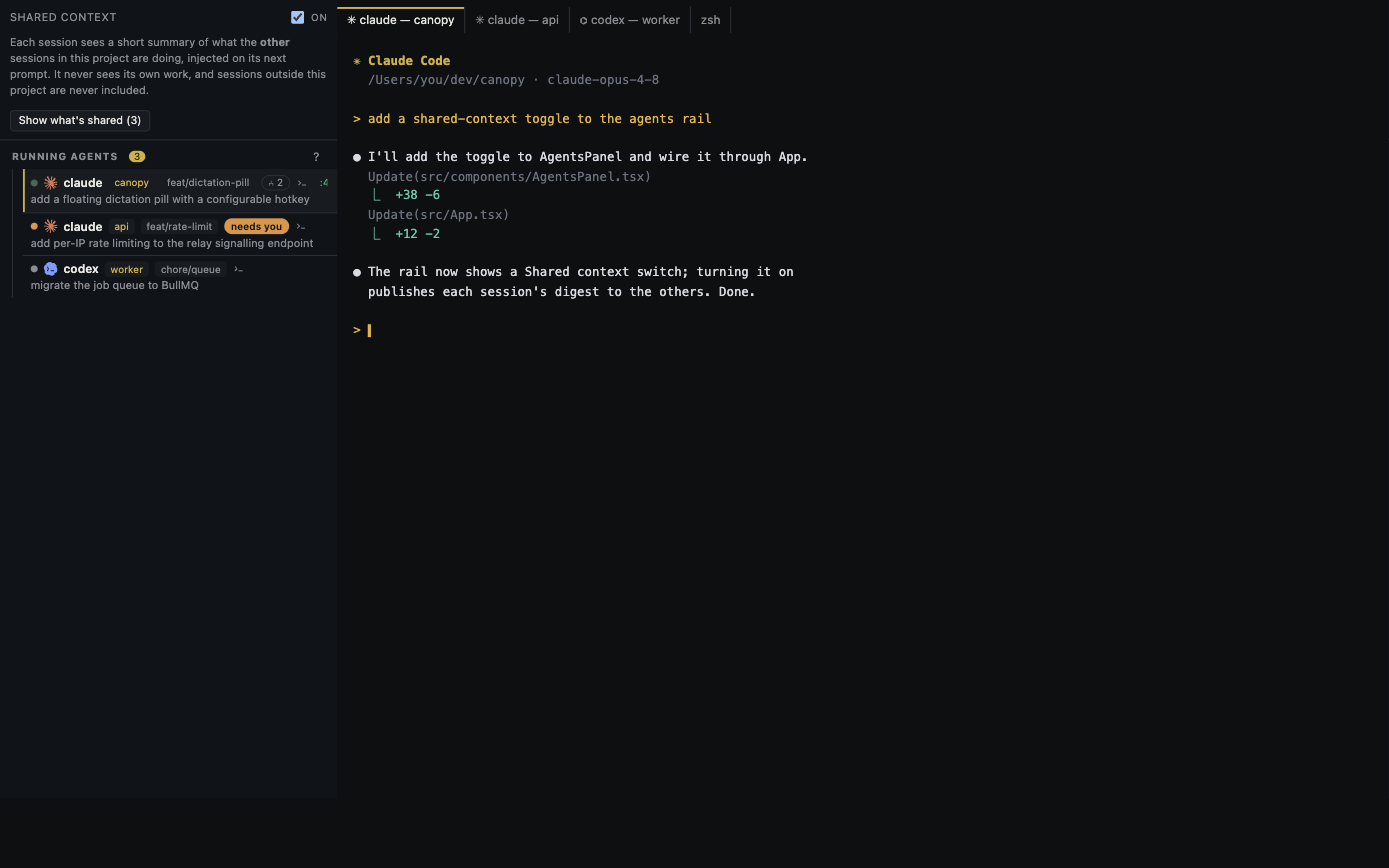
You can direct a coding agent without writing every line. You still need to know what the customer should see, whether the app runs, what changed, and which decisions need a developer. Canopy puts those pieces around the agent's own CLI.
Start with a decision the customer can see
Say a customer can't retry a failed profile save. Define the behavior: show a useful error, keep the entered value, allow another attempt, and persist a successful save after reload. That beats 'make the profile page production-ready.' Give the agent the screenshot, steps to reproduce, and acceptance checks, and ask it to read the relevant code first. You can judge the outcome even if an engineer reviews the code later.
Bring the prerequisites
Canopy is a workspace, not a hosted prompt-to-app service. It runs on your computer, or in a managed cloud workspace (preview) that keeps running. Open a repository or the practice project. Sign in to a supported coding CLI with its own model account and install your project's runtime and Git. Save the real website, API, and worker commands. Ask a developer about production credentials rather than pasting secrets into a prompt.
Make the agent's result visible
Run the project and open its URL in Preview. Try the original failure and success paths yourself. If it still fails, capture the state and console or network evidence and give the agent a focused correction. Then inspect the diff: does it match the request, and did the agent touch configuration or data you didn't ask about? Terminals, services, Preview, and Agent Workspace sit in one project.
Separate product acceptance from technical approval
You can judge whether the flow feels right and solves the problem. That isn't approval for authentication, payments, privacy, migrations, infrastructure, or a production deploy. For those, give a qualified reviewer the branch or PR, run steps, acceptance checks, observed result, tests, and unknowns, and let them make the release call. That beats forwarding a confident agent summary.
Resume from evidence, not memory
Tomorrow, search the project for the issue or decision, then check the working tree and PR. Restart stopped services; saved commands don't mean a worker ran overnight. Resume the CLI conversation if it's still relevant, or start fresh with the goal, decisions, tests, and next step. A second model doesn't inherit the first one's conversation or account. Measure progress by accepted behavior, not sessions opened.
Copyable resources
Use for one small feature or bug; give the finished card to a technical reviewer when the release matters.
Customer problem: [one observed failure or need]
Current behavior and reproduction: [steps]
Expected behavior: [success path and error path]
Project/branch and run command: [ ]
Agent task: inspect relevant files, propose a small change, report the tests run.
My check: run the app, repeat both paths, capture result, inspect changed files.
Technical review needed for: [auth/data/payment/security/deployment/other]
Handoff: PR/latest commit [ ]; test results [ ]; unknowns [ ]; reviewer and decision [ ].
Frequently asked questions
Is Canopy a browser-based app builder?
No. Canopy is a desktop IDE for your projects and the agent CLIs you install. Agents run on your computer or, since v0.4.0, in a managed Canopy cloud workspace (preview).
What can a non-coder review in Canopy?
Agent progress, the running preview, screenshots, changed files and PR status. Technical and production decisions still need someone qualified to verify them.